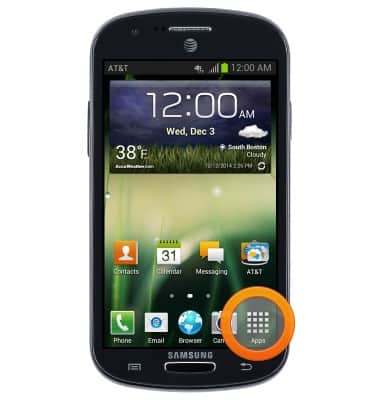
- From the home screen, tap Apps.
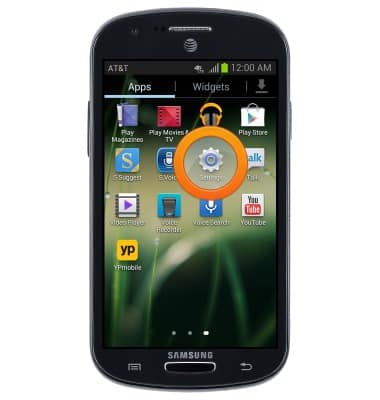
- Swipe to, then tap Settings.
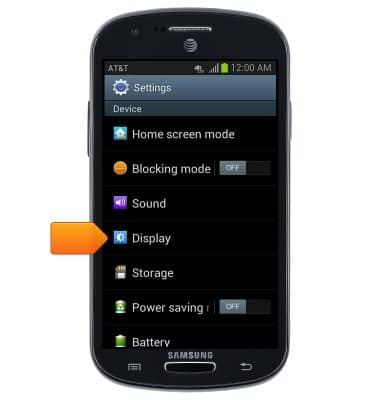
- Scroll to "Device", then tap Display.
- Tap Screen timeout.
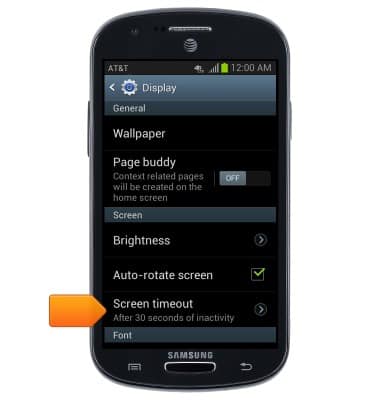
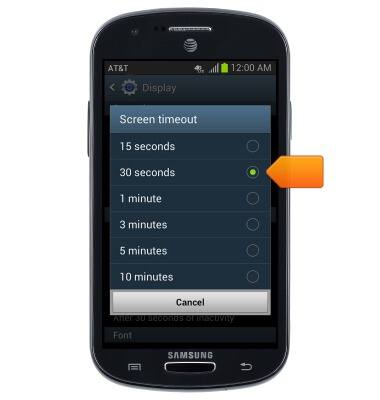
- Tap the desired Screen timeout time.
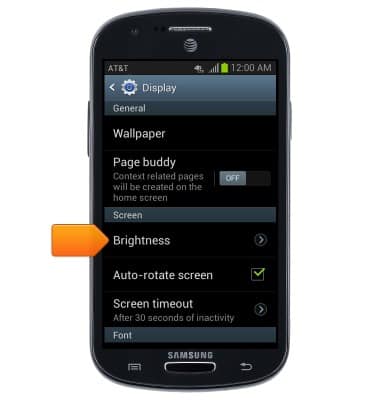
- Tap Brightness.
- Touch and drag the slider to increase or decrease the screen brightness, then tap OK.
Tap the Automatic brightness checkbox to toggle the automatic screen brightness feature.
Note: If Auto brightness is enabled, it will be disabled when the brightness is adjusted.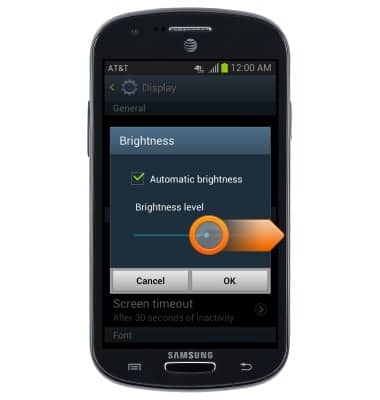
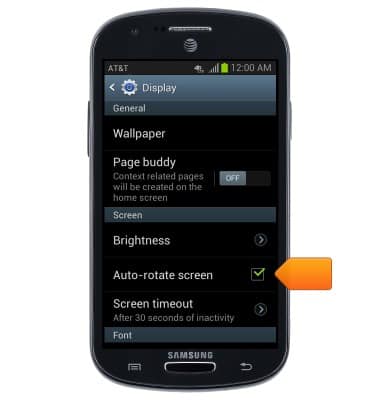
- Tap the Auto-rotate screen Checkbox to enable or disable auto-rotation.
Display
Samsung Galaxy Express (I437/I437p) OS 4.0-4.1
Display
Change the display time out, brightness and orientation.
INSTRUCTIONS & INFO