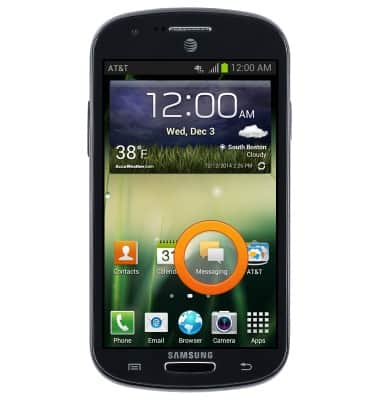
- From the home screen, tap Messaging.
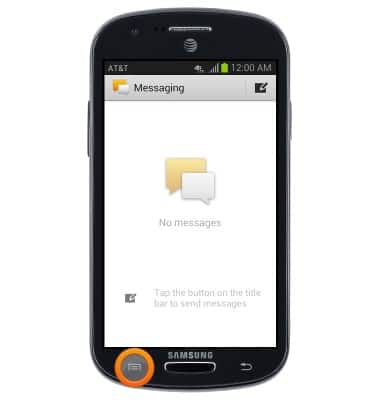
- Tap the Menu key.
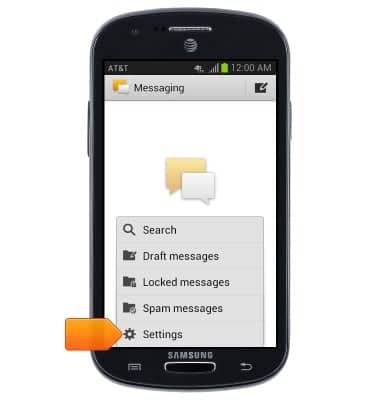
- Tap Settings.
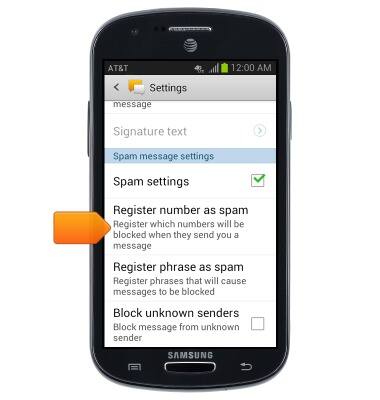
- Scroll to "Spam message settings", then tap Register number as spam.
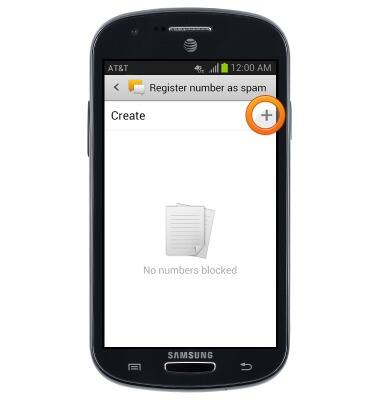
- Tap the Add icon to add a number/contact to the Spam filter.
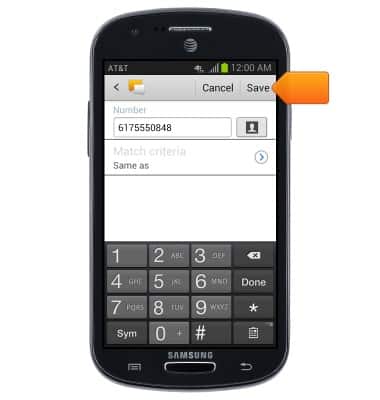
- Enter the desired number or contact, then tap Save.
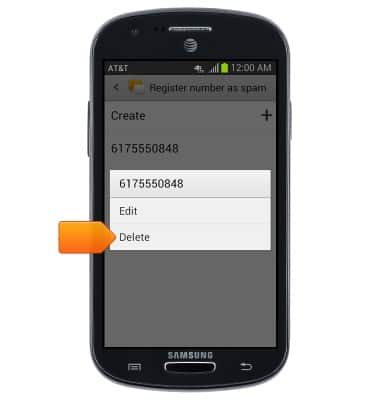
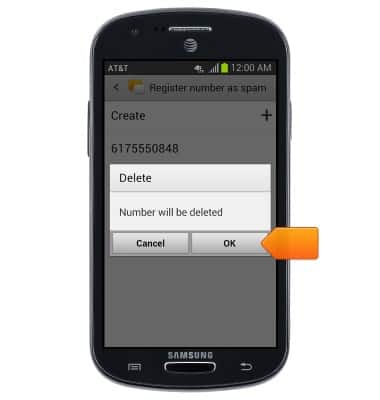
- Touch and hold a number/contact to remove it from the Spam filter, then tap Delete.
- Tap OK.
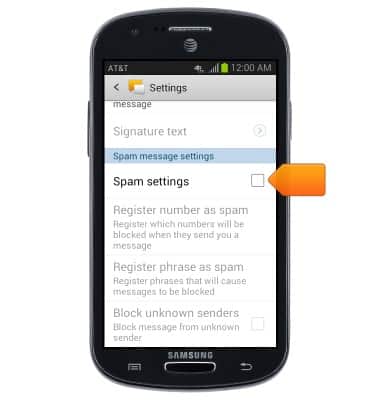
- Tap the Spam settings checkbox to disable the Spam filter.
Block messages
Samsung Galaxy Express (I437/I437p) OS 4.0-4.1
Block messages
Learn how to block messages from your device.
INSTRUCTIONS & INFO