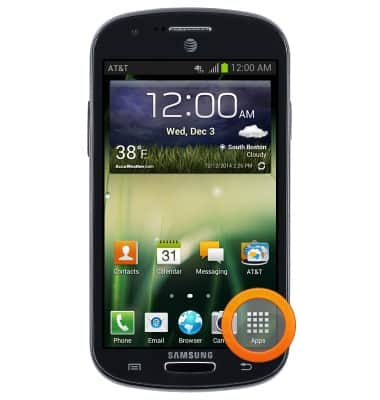
- From the home screen, tap Apps.
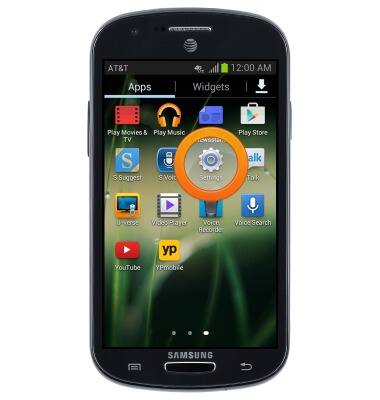
- Swipe to, then tap Settings.
- Tap Wi-Fi.
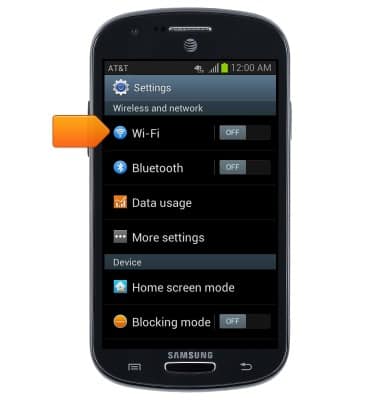
- Tap the Wi-Fi switch to turn Wi-Fi on and off.
Note: To optimize battery life, turn Wi-Fi off when not in use.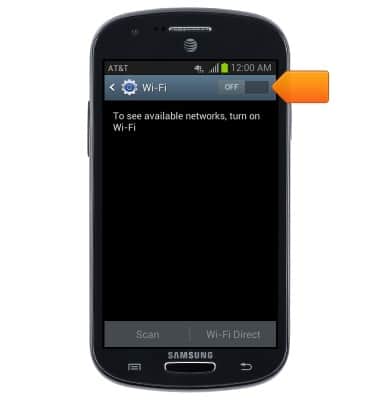
- Tap the desired wireless network.
Note: Tap Add Wi-Fi Direct to connect to a hidden or un-broadcasted Wi-Fi network. You will need to enter the network SSID, security type, and a password (if necessary) to continue.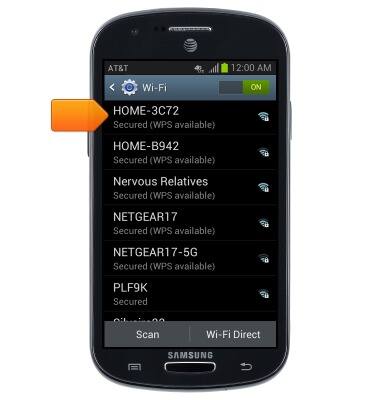
- If prompted, enter the password, then tap Connect.
Note: Secure networks will display with a Lock icon.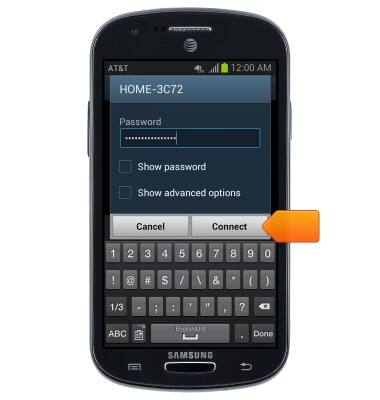
- You are now connected to the Wi-Fi network.
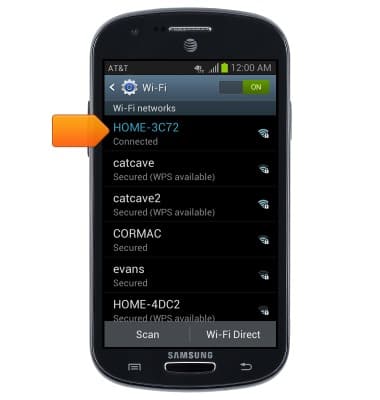
- While Wi-Fi is enabled, and connected, the Wi-Fi icon will be displayed in the notifications bar.
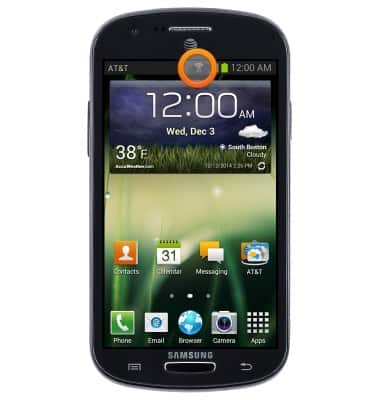
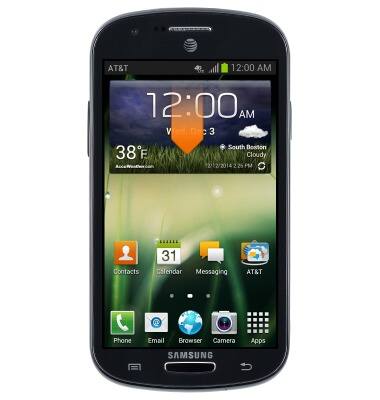
- To quickly enable or disable Wi-Fi, swipe down from the top of the screen.
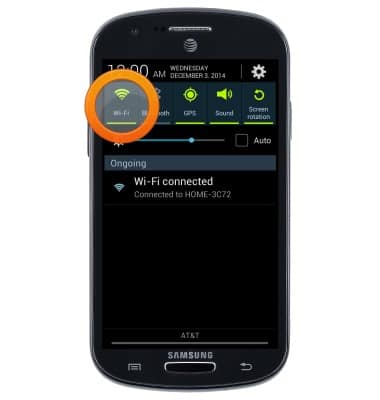
- Tap Wi-Fi to enable or disable Wi-Fi.
Wi-Fi
Samsung Galaxy Express (I437/I437p) OS 4.0-4.1
Wi-Fi
How to connect your device to a Wi-Fi network.
Wi-Fi
This video shows how to connect to a Wi-Fi network.
Wi-Fi
1:17
INSTRUCTIONS & INFO