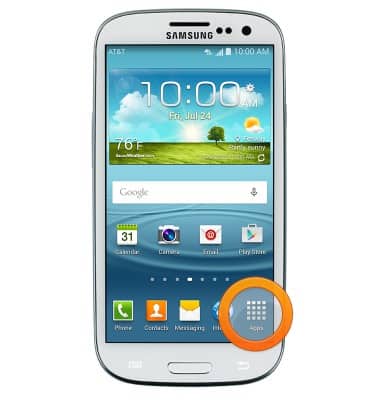
- From the home screen, tap Apps.
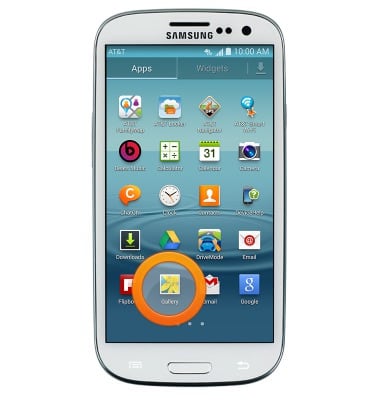
- Swipe to and then tap Gallery.
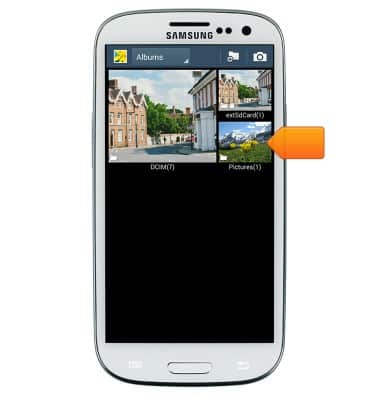
- Tap the desired album.
- Tap the desired image.
Note: Press the 'Menu key' for additional options.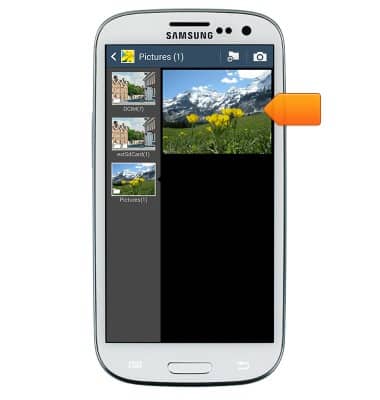
- Tap the Share icon.
Note: Tap the screen to reveal image options.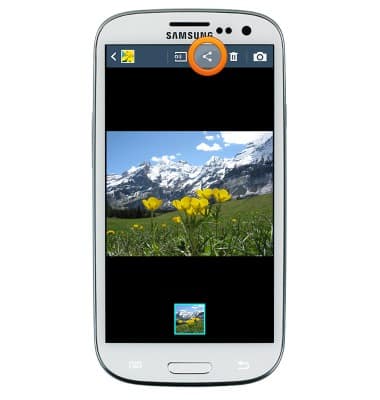
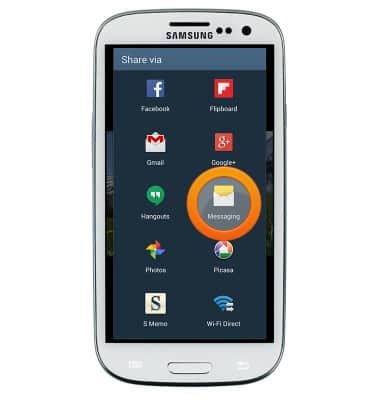
- Scroll to and tap the desired sharing option, then follow the on-screen prompts.
View & share photos or videos
Samsung Galaxy S III (I747)
View & share photos or videos
Access, view, and share your photos and videos.
INSTRUCTIONS & INFO