
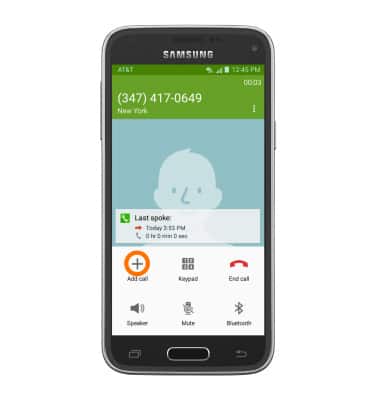
- To add a call while on a call, tap the Add call icon.
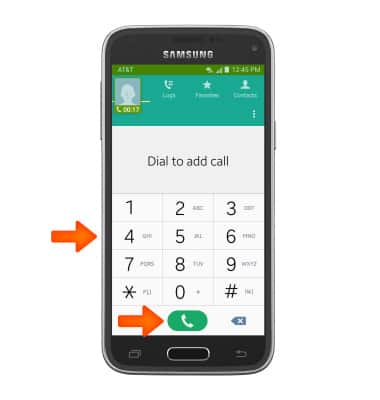
- Enter the Number of the person you wish to call, and tap the Call icon.
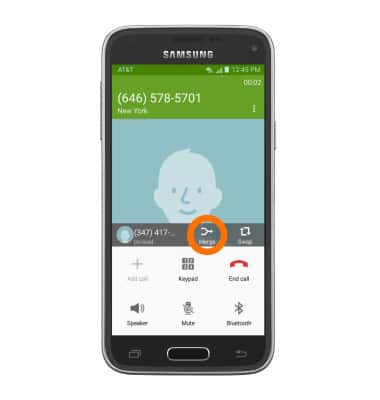
- To merge calls, tap the Merge icon next to the contact or number you wish to merge into the call.
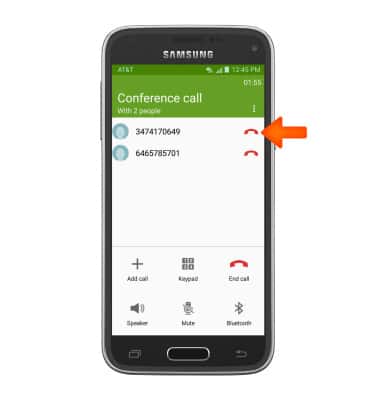
- To disconnect one call from the conference call, tap the Manage icon.
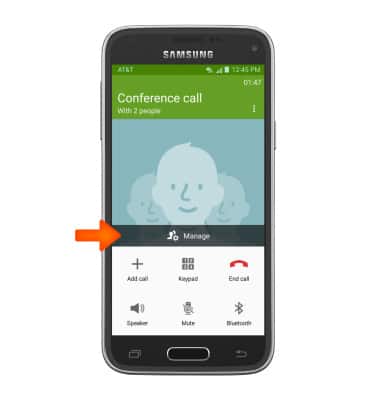
- Tap the Phone icon next to the contact or number you wish to disconnect.
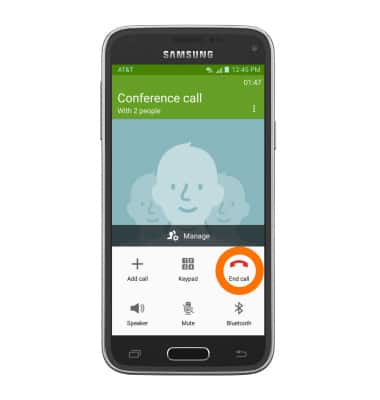
- To disconnect all calls. Tap the End call icon at the bottom.
Conference calling
Samsung Galaxy S5 Mini (G800A)
Conference calling
Add another person to your call, merge calls, place someone on hold and more.
INSTRUCTIONS & INFO