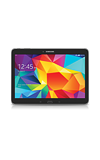
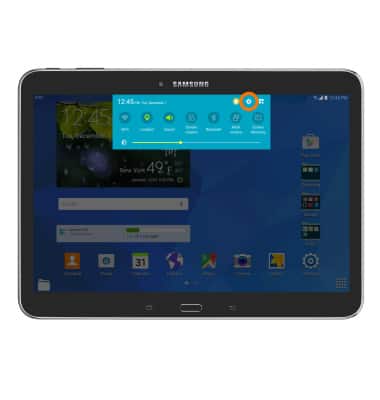
- To turn on Bluetooth, swipe down from the top of the screen and tap the Settings icon.
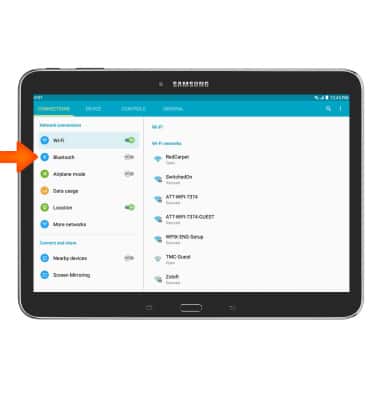
- Tap Bluetooth.
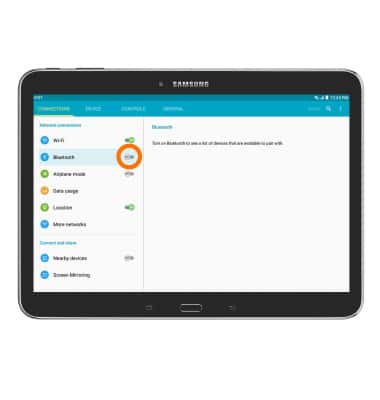
- Tap the Bluetooth toggle.
- When Bluetooth is turned on, the Bluetooth icon will be displayed in the Notification bar.
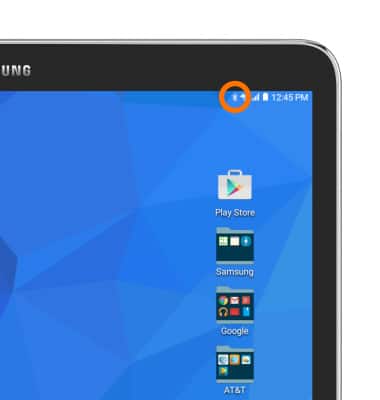
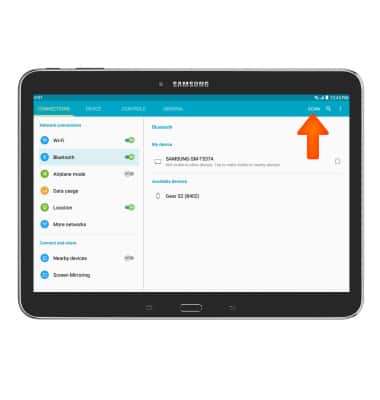
- The phone will automatically scan for nearby Bluetooth devices. To scan again, tap SCAN.
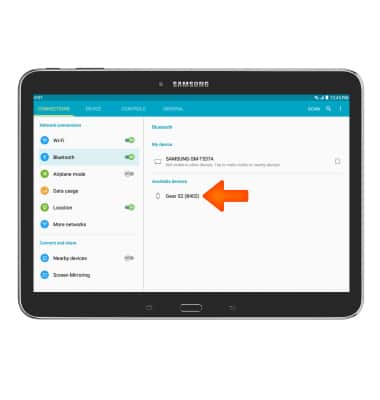
- To connect to another Bluetooth device, tap the Desired device.
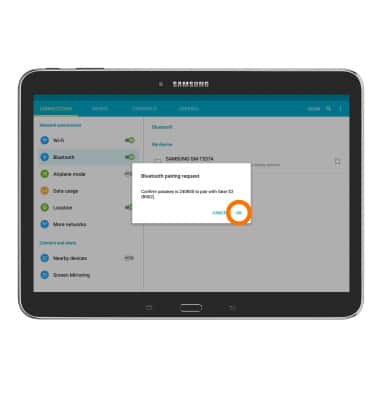
- Tap OK to confirm pairing request.
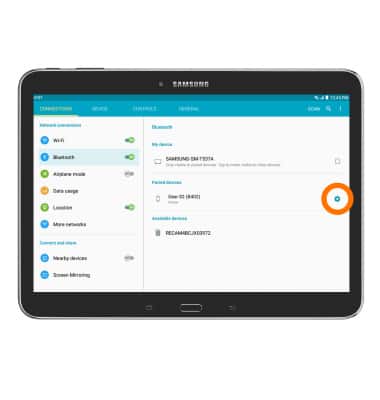
- To disconnect a paired device, tap the Settings icon next to the desired device.
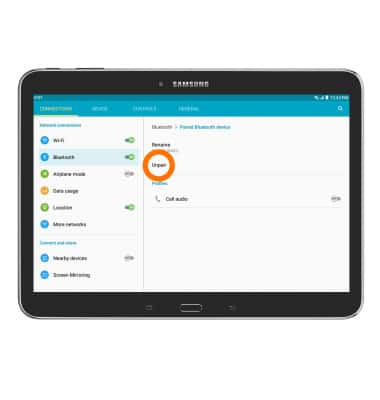
- Tap Unpair.
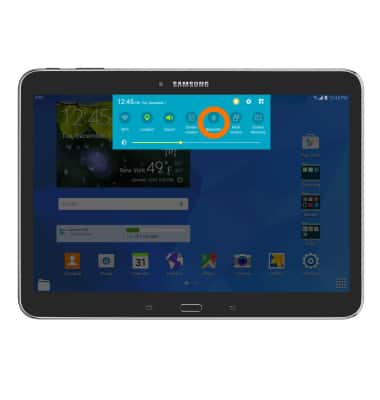
- To quickly turn Bluetooth on or off, swipe down from the top of the screen to access the Notification menu, then tap the Bluetooth icon.
Bluetooth
Samsung Galaxy Tab 4 (T537A)
Bluetooth
Turn Bluetooth on or off, scan and connect to other Bluetooth devices, and unpair a connected device.
INSTRUCTIONS & INFO