- Press the Volume keys located on the side of the device to adjust the volume.
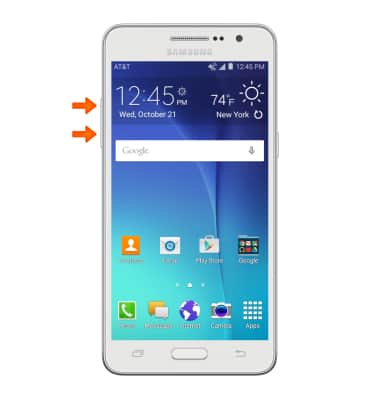
- Reduce the volume until the Vibrate icon appears to enable Vibrate mode.
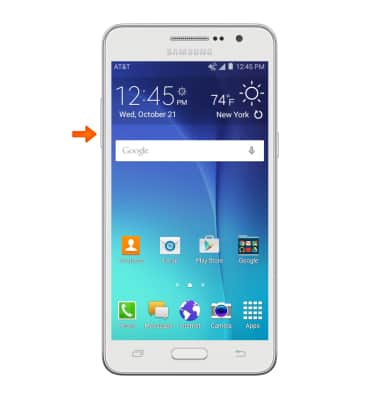
- When Vibrate mode is active, the Vibrate icon will display in the notification bar.
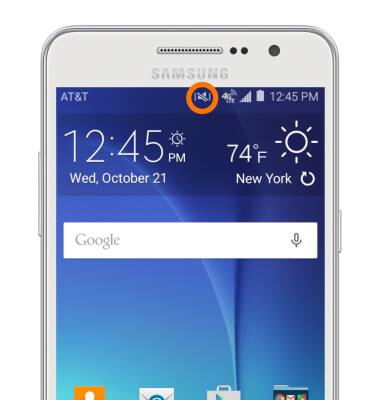
- Reduce the volume until the Silent icon appears to enable Silent mode.
Note: Once you are in Vibrate mode, you have to release the Volume down button, and then tap it to get to Silent mode.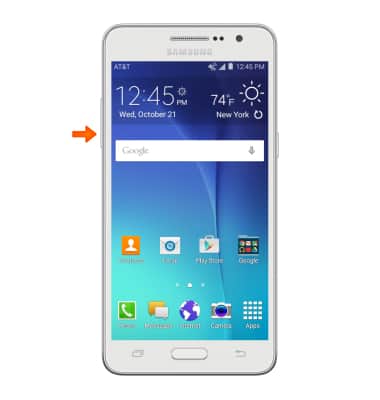
- When Silent mode is enabled, the Silent icon will display in the notification bar.

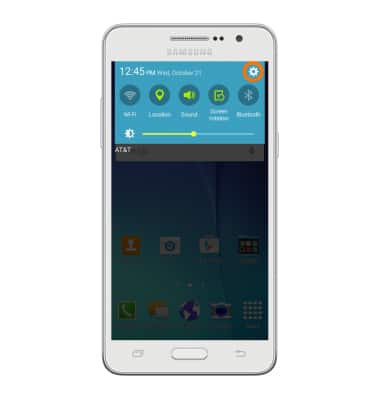
- Swipe down from the top of the screen, and tap the Settings icon to access additional volume settings.
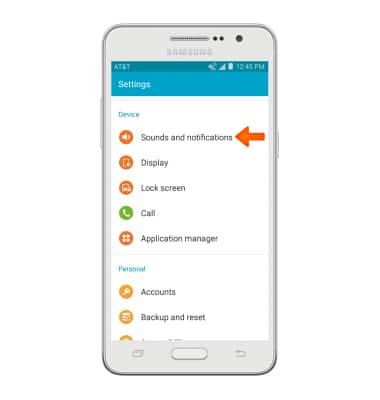
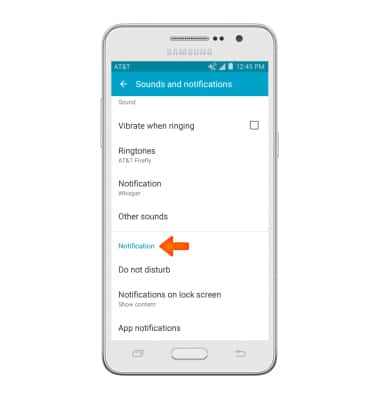
- Tap Sounds and notifications.
- To change the ringtone, tap Ringtones.
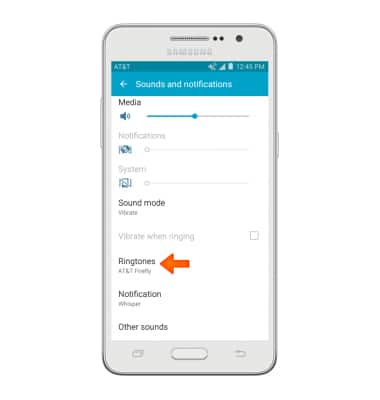
- Tap the Desired option, and then tap OK.
Note: For steps to assign a ringtone to a contact, please see the 'Contacts' tutorial.
- To change notification alerts, tap the Desired option.
Sounds & alerts
Samsung Galaxy Go Prime (G530A)
Sounds & alerts
Change volume settings, ringtones, and notification alerts.
INSTRUCTIONS & INFO