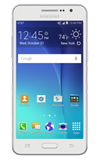
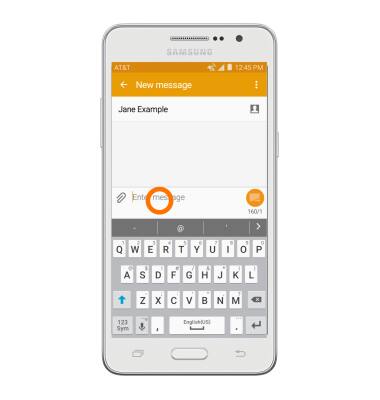
- To access the keyboard, tap on a Text entry field.
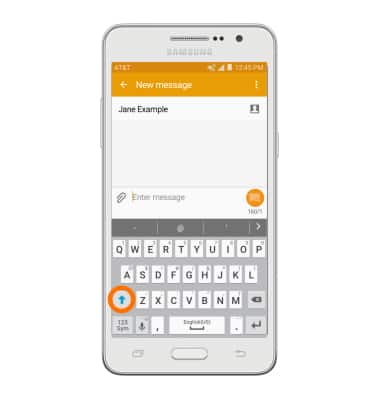
- Tap the Shift key to capitalize the next letter entered.
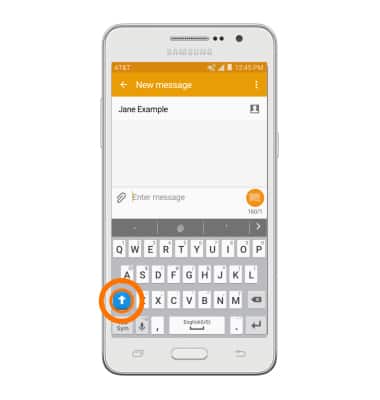
- To enable Caps Lock, double tap the Shift key.
- Tap the Sym key to access symbols and numbers.
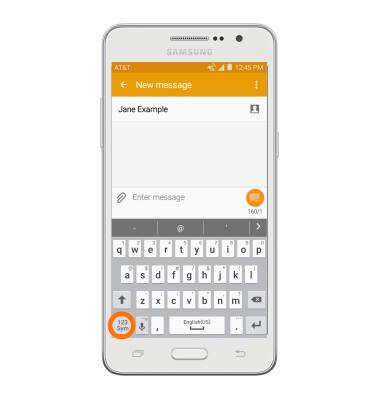
- Tap the ‘1/2’ key to view additional symbols.
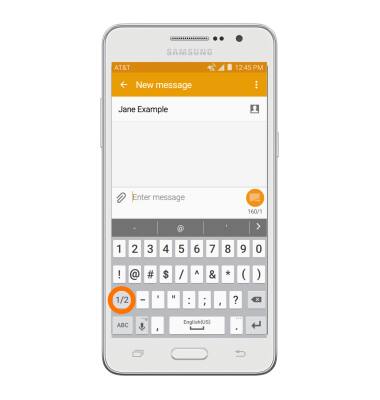
- Tap the 'ABC' key to return to the alphabet.
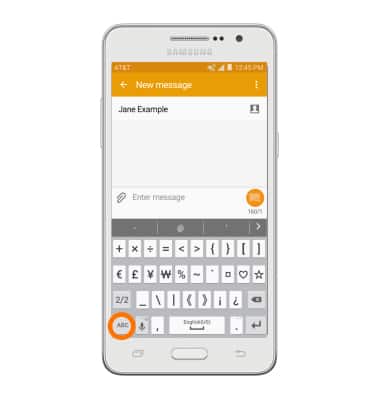
- Tap and hold the Voice icon, then tap the Emoticon icon to access emoticons.

- From the Keyboard options menu, tap the Voice icon to enable speech to text.
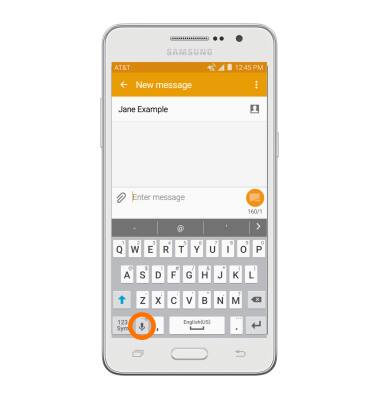
- To use Swype, touch and drag across Each letter of the desired word without removing the finger from the screen.
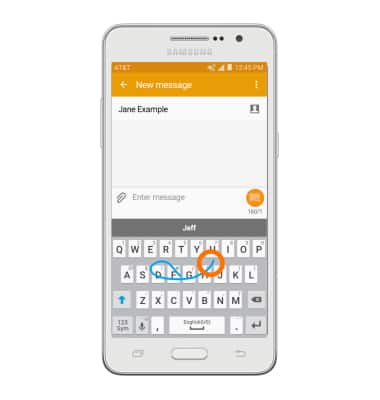
- If the resulting word does not match the desired word, tap the Desired word in the Suggestion bar.

- To copy and paste text, tap and hold the Desired text.
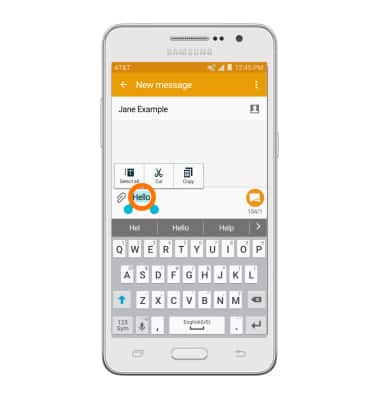
- Touch and drag the Text Selection handles to highlight all the desired text.

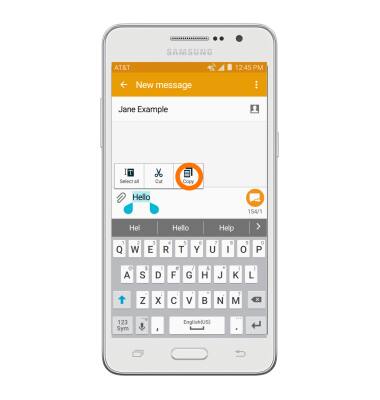
- Tap the Copy icon.
- In the desired pasting location, tap and hold the Desired text field to place the cursor.
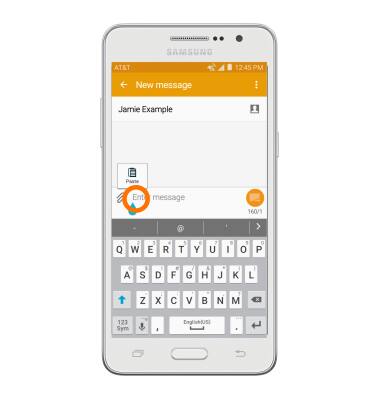
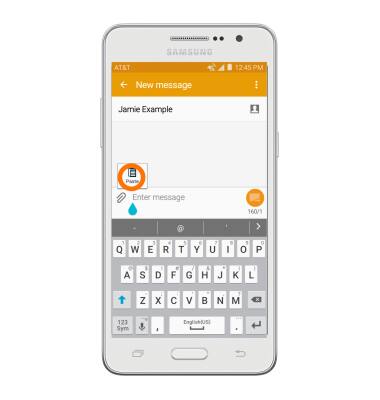
- Tap the Paste icon.
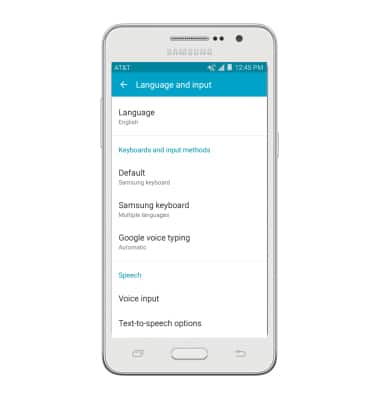
- To access keyboard settings, tap Settings > Language and input.
Keyboard & typing
Samsung Galaxy Go Prime (G530A)
Keyboard & typing
Cut and paste, use speech-to-text, and access keyboard settings.
INSTRUCTIONS & INFO