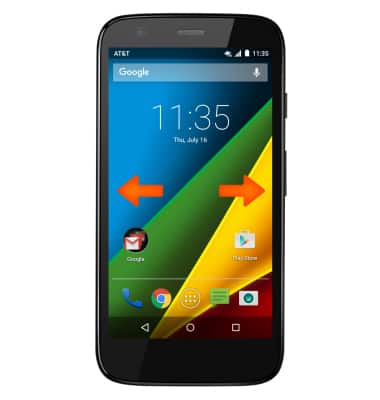
- Swipe left or right to access alternate Home screens.
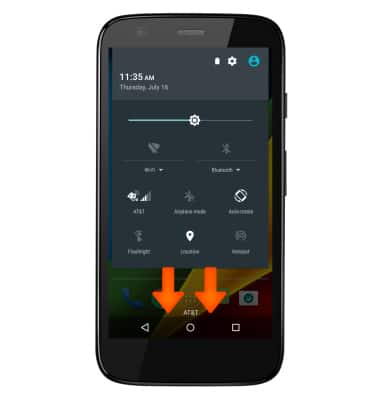
- Swipe down from the top of the screen to view notifications and quick settings.
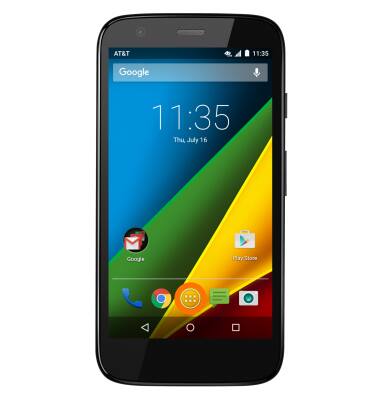
- Tap the Apps icon to open Apps.
- To open a specific app, tap the Desired app icon.
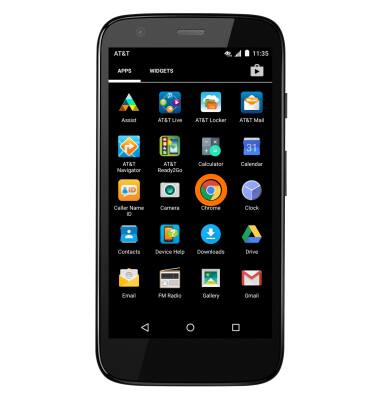
- To add an app to the home screen, tap & hold on the desired App icon then drag the app to desired location on the home screen.

Gestures & navigation
Motorola Moto g (XT1045)
Gestures & navigation
Control your device by making specific movements with your hand.
INSTRUCTIONS & INFO