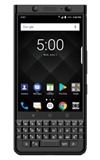
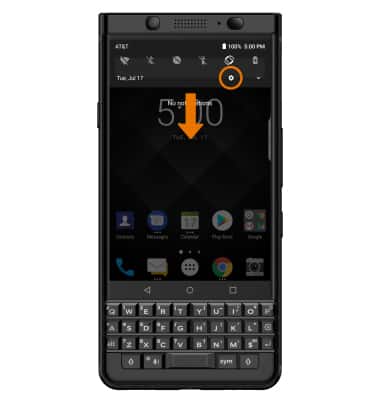
- ACCESS SCREEN PROJECTING: Swipe down from the Notification bar, then select the Settings icon.
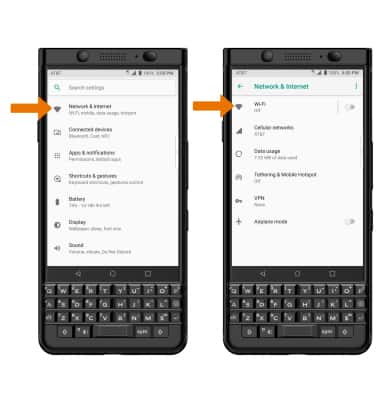
- Select Network & internet, then select Wi-Fi.
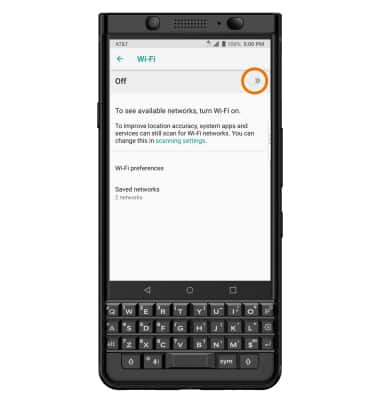
- Select the Wi-Fi switch to place it in the On position.
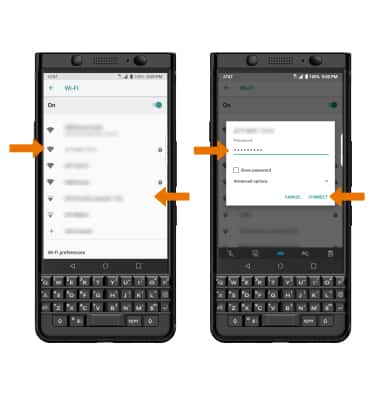
- Select the desired Wi-Fi network. Enter the Password, then select CONNECT.
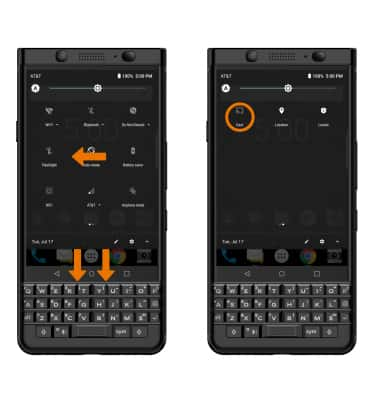
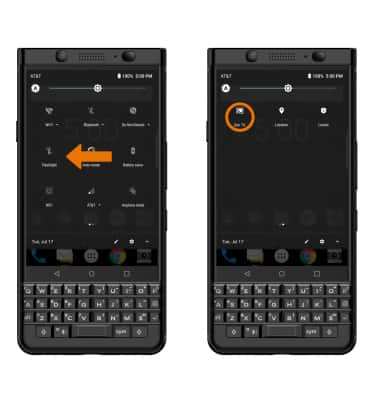
- ACTIVATE SCREEN PROJECTING: Swipe down from the Notification bar with two fingers, then swipe left. Select and hold Cast.
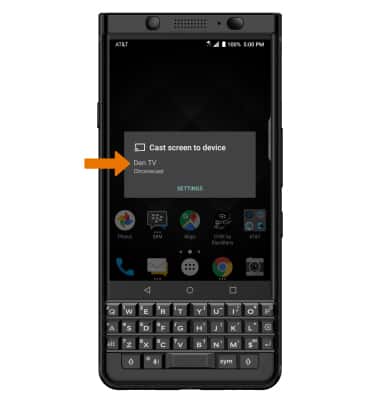
- Select the desired device.
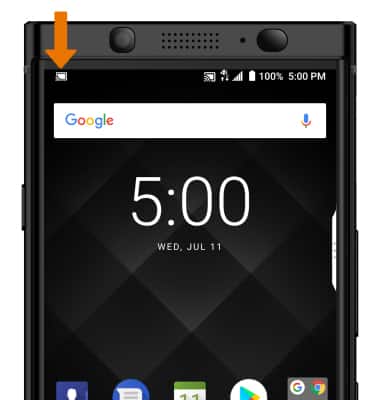
- When Casting your screen, the Cast icon will be displayed in the Notification bar.
- TURN OFF SCREEN PROJECTING: From the Expanded Quick Settings screen, swipe left then select the Cast icon to turn off screen projecting.
Screen Projecting
BlackBerry KEYone (BBB100-1)
Screen Projecting
Project photos, videos, and media on your device to another device (TV, tablet, computer, etc.).
INSTRUCTIONS & INFO