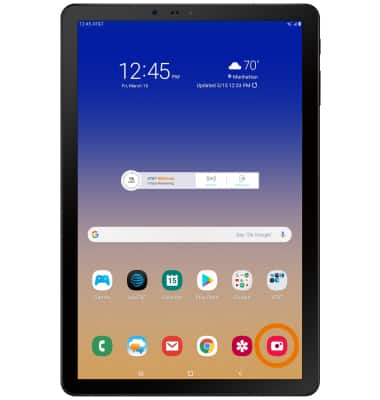
- ACCESS VISUAL INTELLIGENCE: From the home screen, select the Camera app.
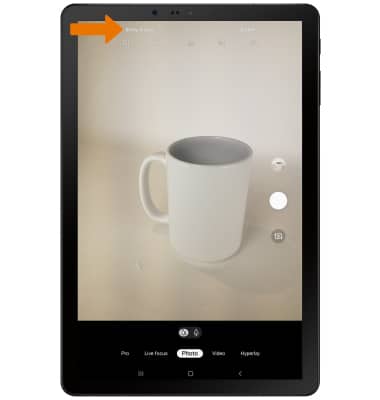
- Select Bixby Vision.
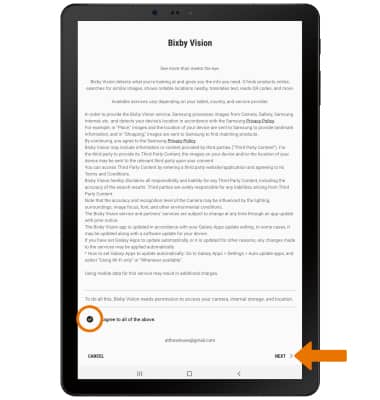
- Review the Privacy Policy prompt, then select I agree to all of the above. Select NEXT.
- Review the Third Party Services Legal Information prompt, then select I agree to all of the above. Select OK.
Note: Select Allow to continue through the prompts. If you would like to add a shortcut to the home screen or the apps tray, select OK.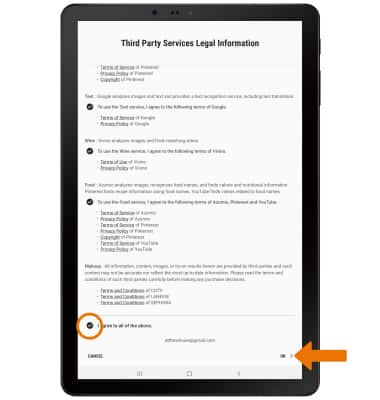
- Point the device's camera at an object or location. Bixby Vision will automatically identify the object or location.
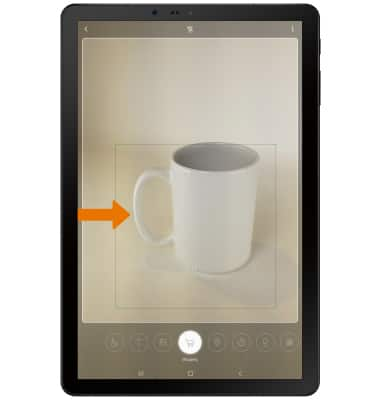
- FIND SIMILAR LOCATIONS/OBJECTS: While focused on a location or object, select the Image icon.
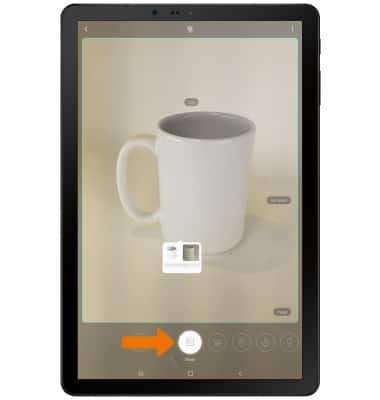
- Select the desired image to view the image online.
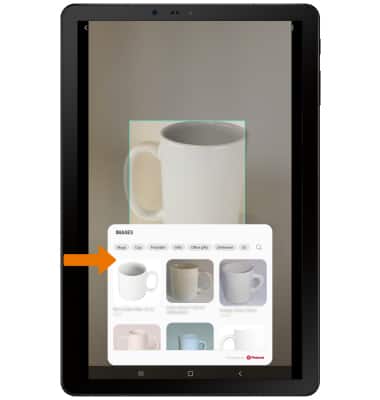
- SHOP FOR SIMILAR OBJECTS: While focused on an item, select the Shopping icon.
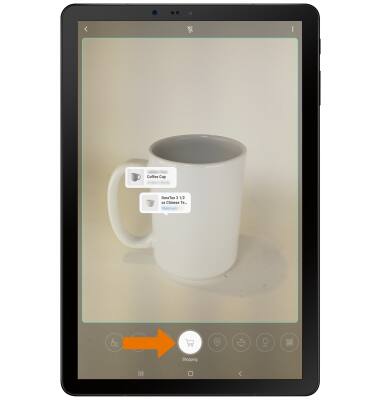
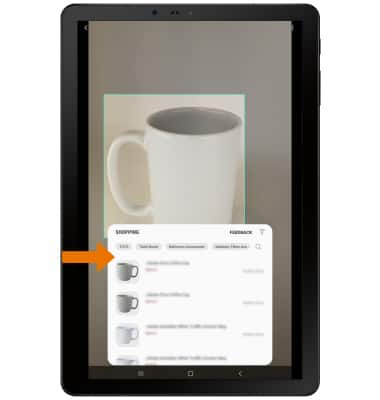
- Select the desired option that you would like to search for and purchase, then follow the prompts.
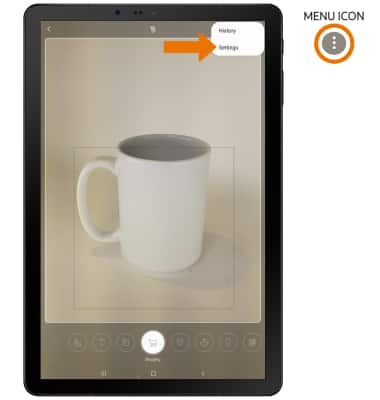
- ACCESS & EDIT VISUAL INTELLIGENCE SETTINGS: Select the Menu icon, thene select Settings.
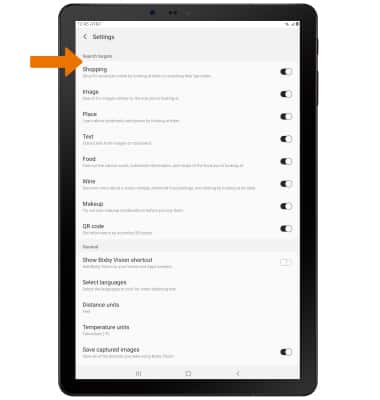
- Edit settings as desired.
Visual Intelligence
Samsung Galaxy Tab S4 (SM-T837A)
Visual Intelligence
Bixby Vision gives you a deeper understanding of what you're looking at through your camera by identifying landmarks, translating languages, or showing you where to buy an item.
INSTRUCTIONS & INFO