- To access the email settings screen, from the home screen, select the Email app.
Note: Email will have to be enabled if it has not been previously set up.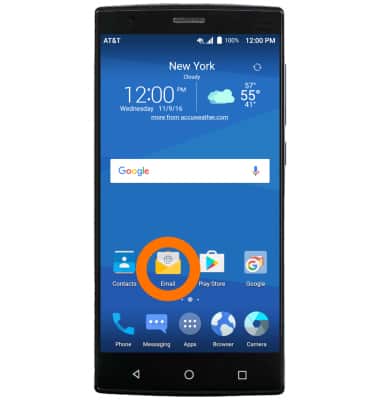
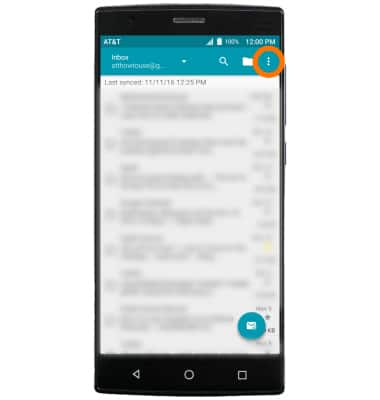
- Select the Menu icon.
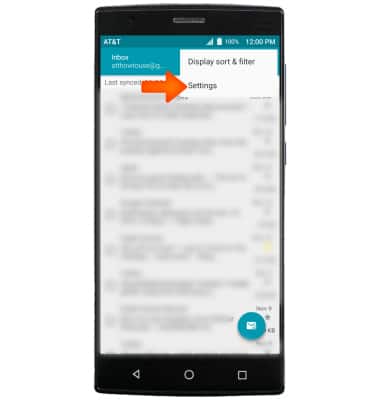
- Select Settings.
- To add additional email accounts, select Add account.
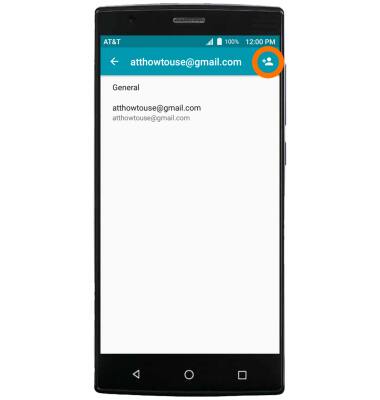
- To delete an email account, select the Desired account.
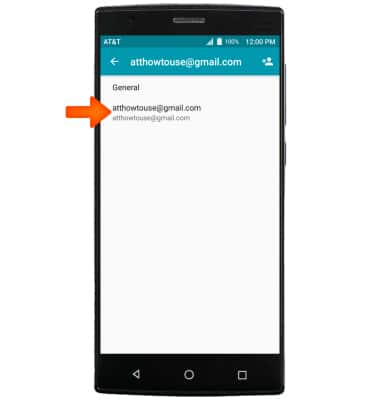
- Scroll to and select Remove account.
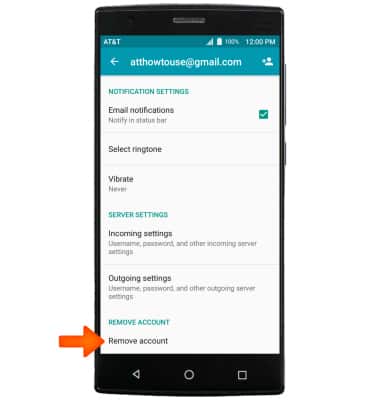
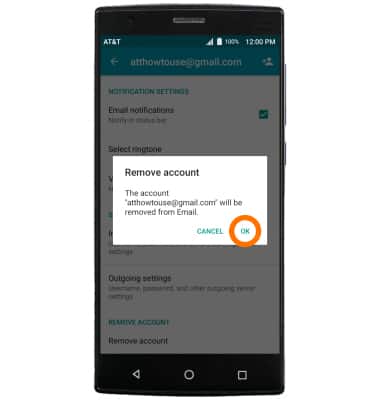
- Select OK.
- To access general settings such as changing the font size or to automatically show pictures, select General, then adjust settings as desired.
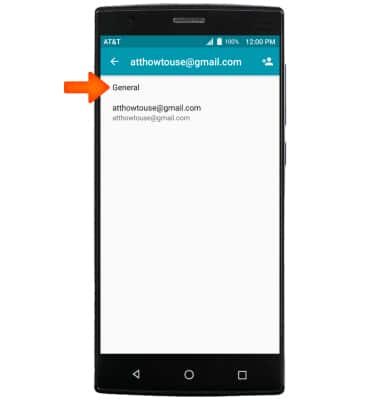
- To change settings specific to an account, select the Desired account.
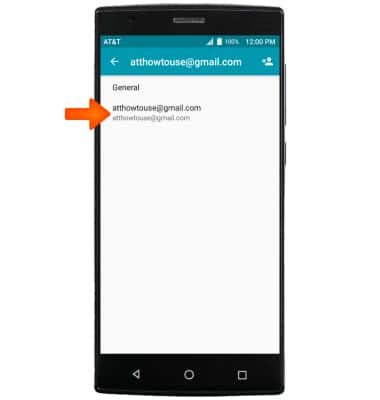
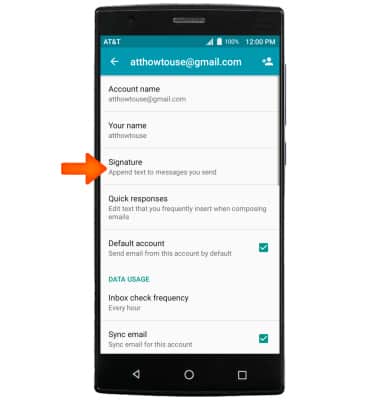
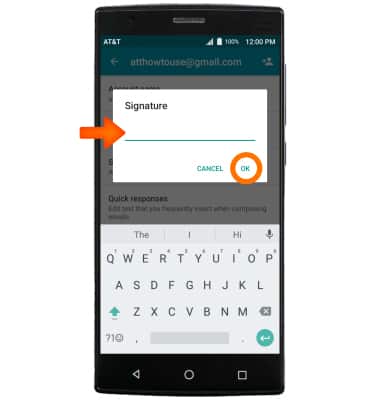
- To change your email signature, select Signature.
- Make your changes, then select OK.
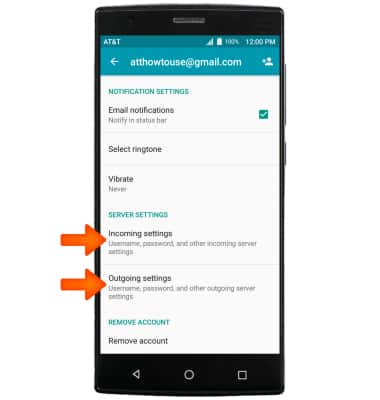
- To change email account incoming and outgoing server settings, scroll to and select the Incoming settings or Outgoing settings to adjust as desired.
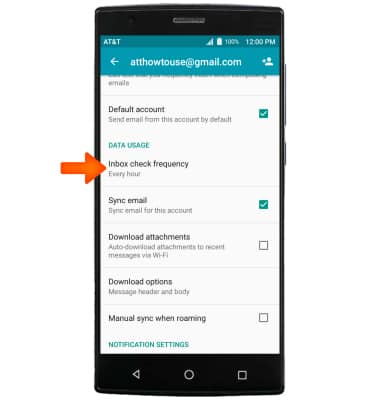
- To edit email sync frequency, scroll to and select Inbox check frequency and adjust as desired.
Email Settings
ZTE ZMAX 2 (Z958)
Email Settings
Manage email settings such as sync frequency, server settings, signature, deleting an email account, and more.
INSTRUCTIONS & INFO