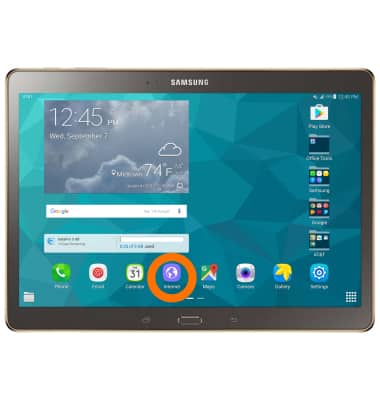
- To access your browser settings, from the home screen select Internet.
- Select MORE at the top right hand corner of the browser.

- Scroll to and select Settings.

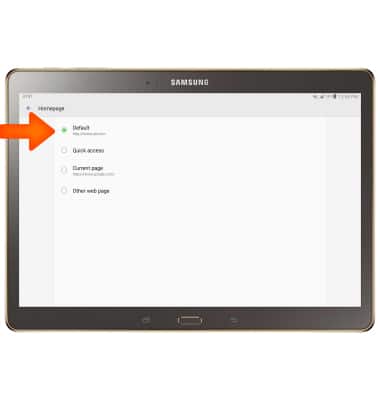
- To set the homepage, select Homepage.

- Select the Desired homepage.
- To change the default search engine, select Default search engine.

- Select the Desired search engine.

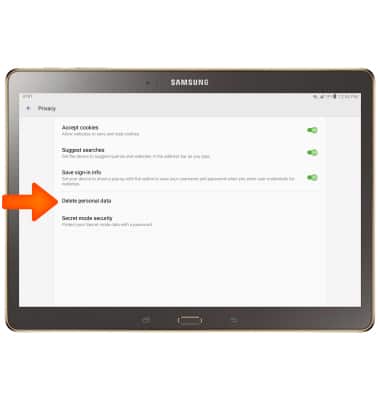
- To clear the browsing history, select Privacy.

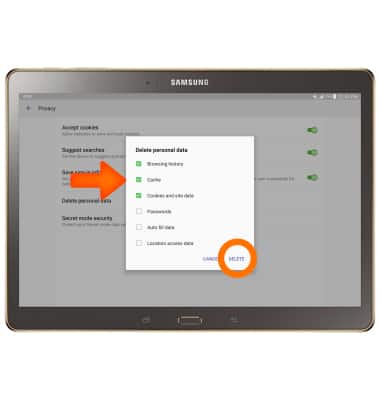
- Select Delete personal data.
- Check the Desired options to delete and then select DELETE.
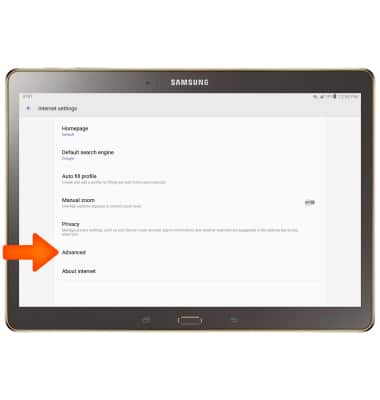
- To block or unblock pop-ups, select Advanced.
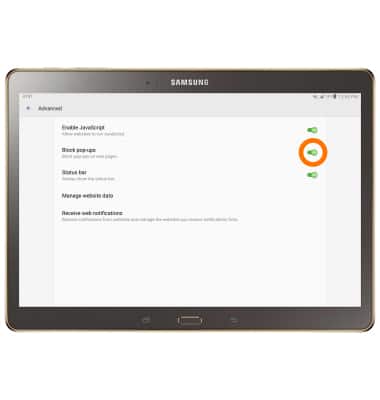
- Select the Block pop-ups toggle to turn on or off.
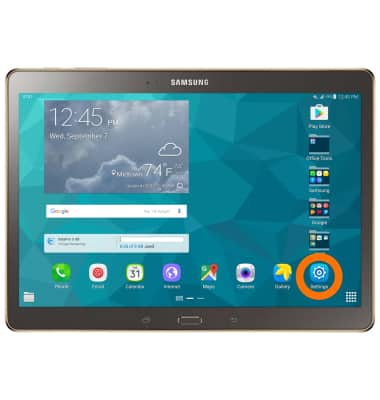
- To change the default browser, from the homescreen select the Settings Icon.
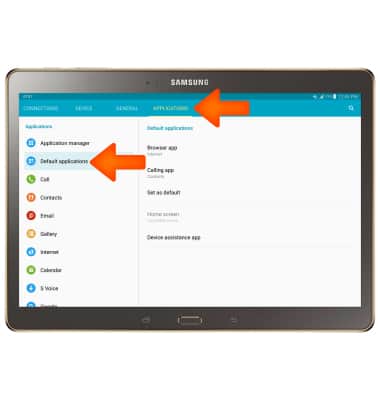
- Select the APPLICATIONS tab and select Default Applications.
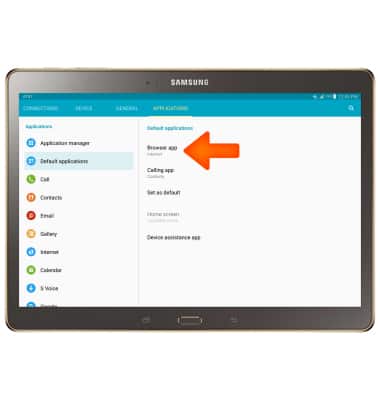
- Select Browser App.
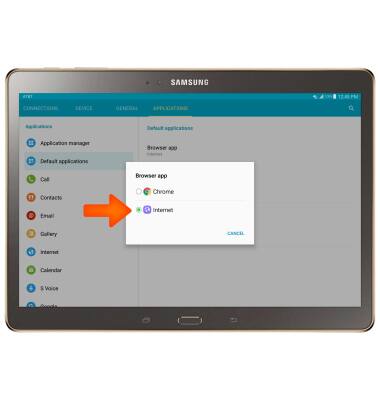
- Select the desired browser.
Browser Options
Samsung Galaxy Tab S 10.5 (T807A)
Browser Options
Access browser settings to clear history, set homepage, adjust text size, manage pop-up, change the default browser, and restore default settings.
INSTRUCTIONS & INFO