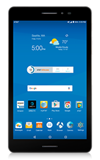
- ACCESS EMAIL SETTINGS: From the home screen, select the Email app.
Note: In order to access email settings, you must have already Set Up Email.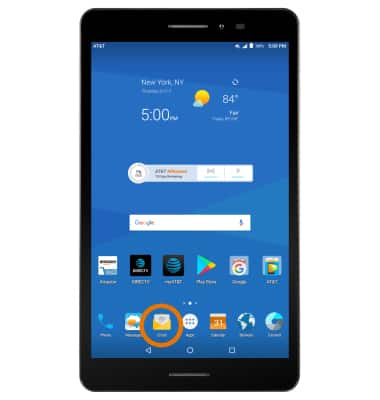
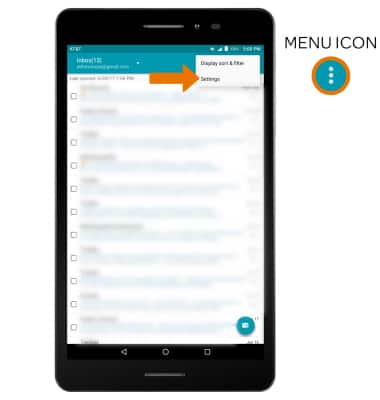
- Select the Menu icon, then select Settings.
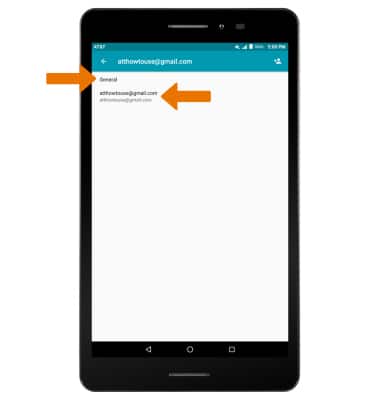
- Select General, then edit email settings as desired. To change settings specific to an account, select the desired account.
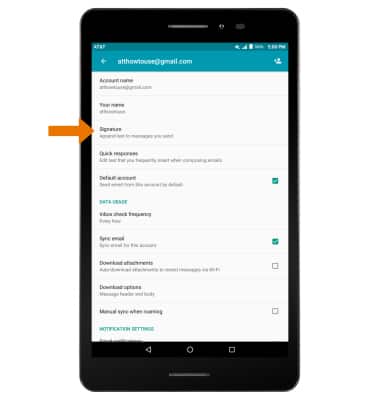
- EDIT EMAIL SIGNATURE: From the desired email account, select Signature.
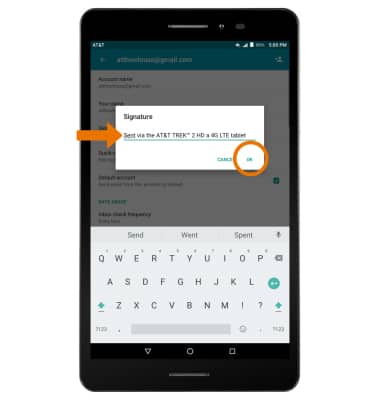
- Edit the desired email signature, then select OK.
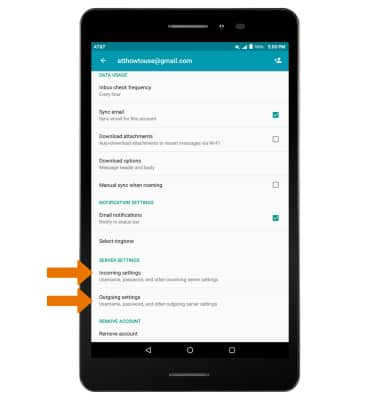
- CHANGE ACCOUNT SERVER SETTINGS: From the desired email account, scroll to and select Incoming settings or Outgoing settings.
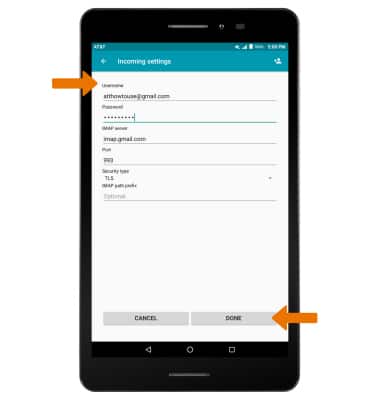
- Enter the desired server settings, then select DONE.
- EDIT SYNC FREQUENCY: From the desired email account, scroll to and select Inbox check frequency.
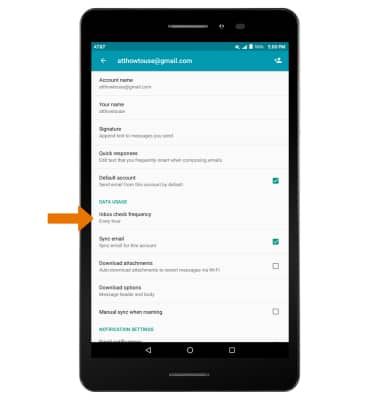
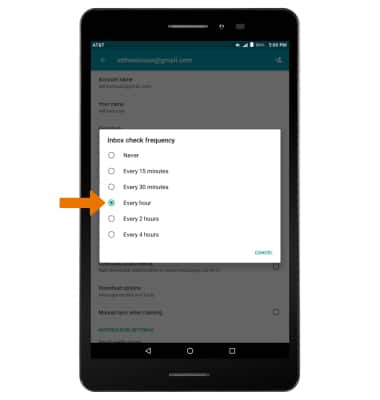
- Select the desired frequency.
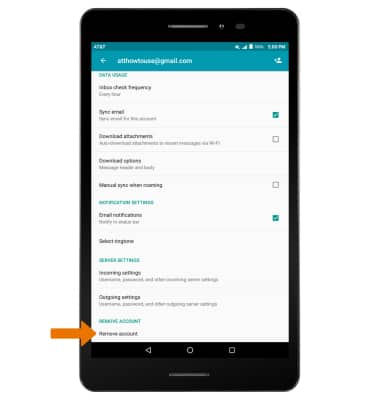
- DELETE EMAIL ACCOUNT: From the desired email account, scroll to and select Remove account.
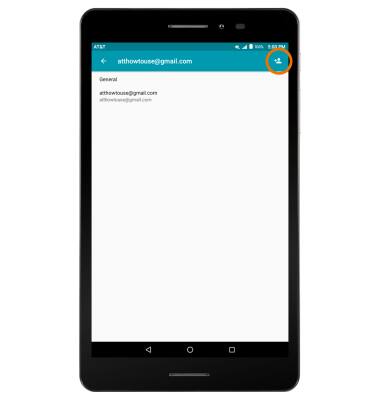
- ADD ADDITIONAL EMAIL ACCOUNTS: From the Email Settings screen, scroll to and select the Add icon then follow the prompts.
Email Settings
AT&T Trek 2 HD (K88)
Email Settings
Access and manage email settings such as signature, sync frequency, delete an account, and add an account.
INSTRUCTIONS & INFO