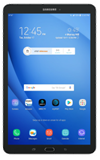
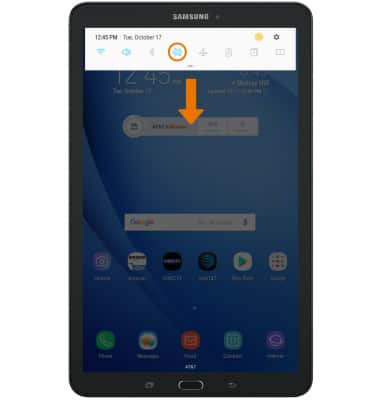
- Swipe down from the Notification bar, then select the Settings icon.

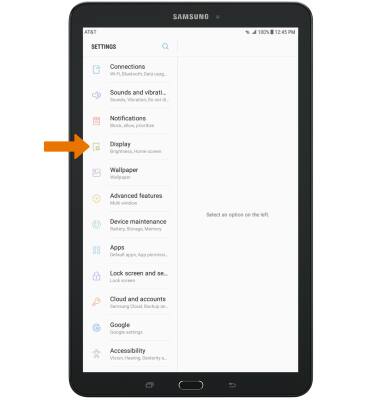
- Select Display.
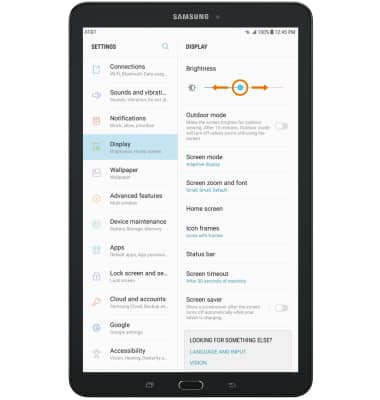
- ADJUST BRIGHTNESS: Select and drag the Brightness slider left or right to adjust the brightness manually.
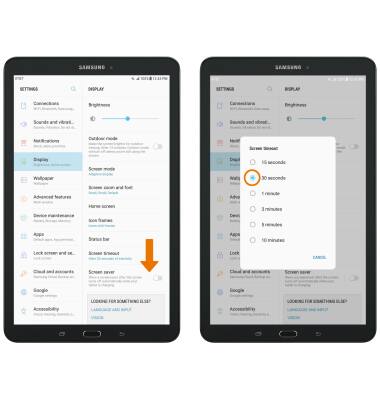
- ADJUST SCREEN TIMEOUT: From the Display screen, scroll to and select Screen timeout then select the desired timeout option.
- LOCK/UNLOCK SCREEN ROTATION: Swipe down from the Notification bar, then select the Auto-rotate icon.
Display
Samsung Galaxy Tab E 8.0 (T377A)
Display
Change the brightness, display time out, and orientation.
INSTRUCTIONS & INFO