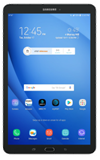
- From the home screen, select the Camera app.
Note: When in "Easy" mode, only a limited amount of camera settings and modes will be available.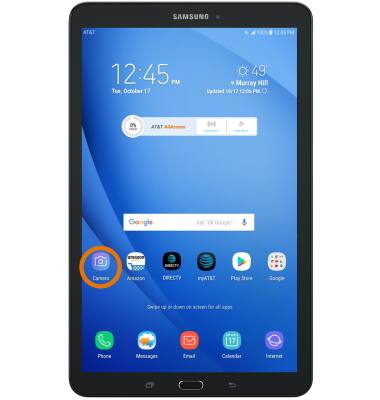
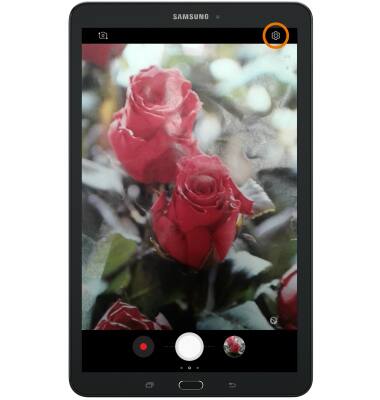
- CHANGE PICTURE SIZE: Select the Settings icon.
- Select Picture size for the desired camera, then select the desired size.
Note: For this demonstration, Picture size for the rear camera was chosen.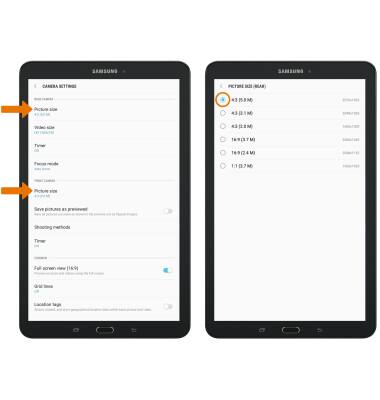
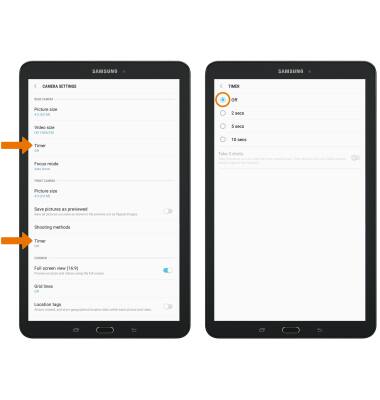
- SET A TIMER: From the Camera settings screen, select Timer for the desired camera then select the desired time.
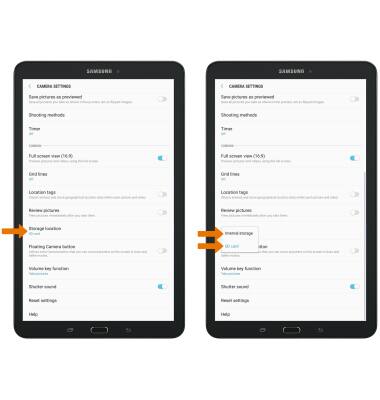
- SET STORAGE LOCATION: From the Camera settings screen, scroll to and select Storage location, then select the desired location.
Camera & Video Settings
Samsung Galaxy Tab E 8.0 (T377A)
Camera & Video Settings
Manage camera and video settings including timer, storage location, and more.
INSTRUCTIONS & INFO