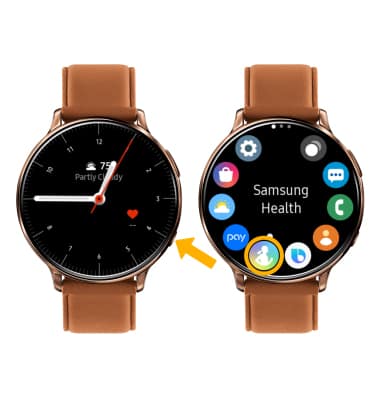
Note: For quick access, from the clock screen, swipe left to the Samsung Health widget. Samsung S Health turns your device into a personal-health-management powerhouse. You can track health statistics, like blood pressure, blood glucose levels, and weight. You can view and track environmental conditions, and even track your exercise regimen.
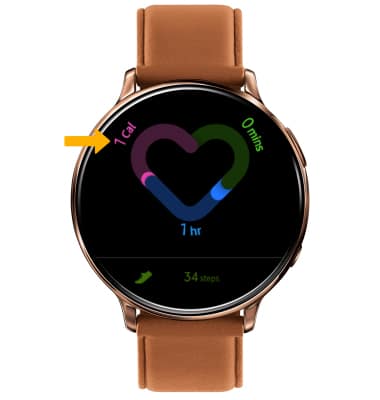
2. Your calories burned, active minutes, and hourly activity will be displayed.
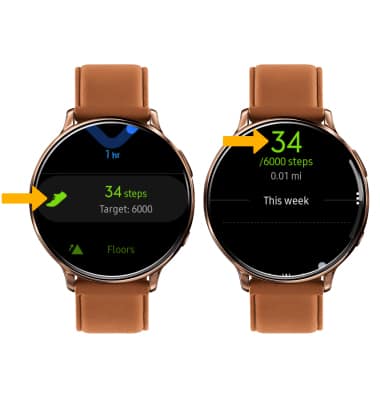
3. TRACK STEPS: Scroll to and select Steps. The pedometer will be displayed.
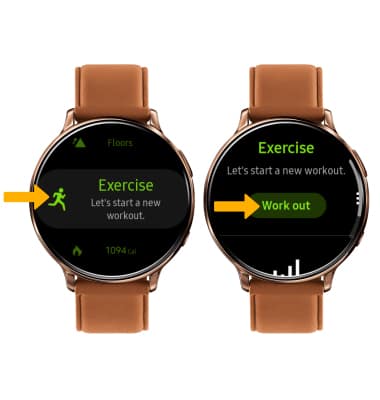
4. TRACK WORK OUT: Scroll to and select Exercise. Select Work out to view work out options.
Note: The exercise feature helps you keep track of your exercise routines, calories burned, length of time and distance traveled.
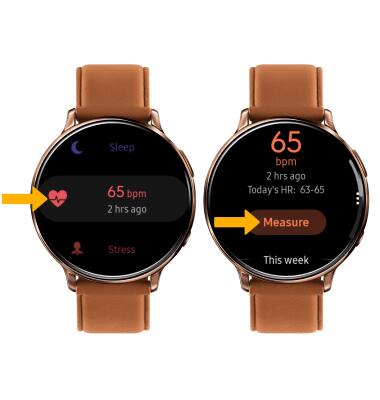
5. MEASURE HEART RATE: Scroll to and select Heart rate, then select Measure to measure your heart rate.
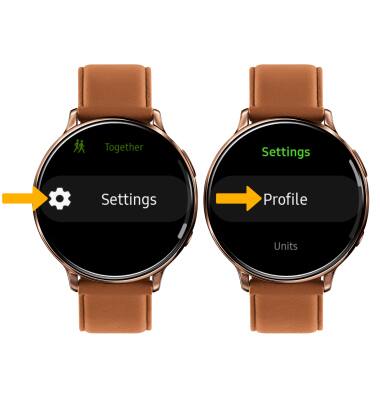
6. ACCESS SETTINGS: Scroll to and select Settings. Adjust settings as desired.