In this tutorial, you will learn how to:
• View event information
• Edit an event
• Delete an event
• Access and edit calendar sync settings
View event information
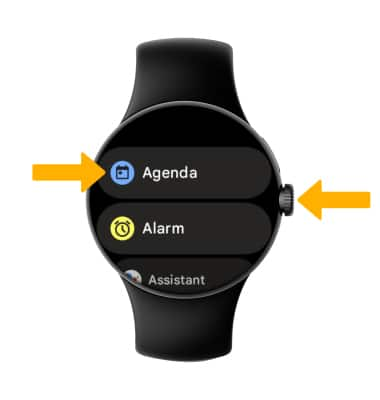
1. Press the Watch Crown to access the Apps tray, then select the Agenda app.
2. From the upcoming events list, scroll to and select the desired event.
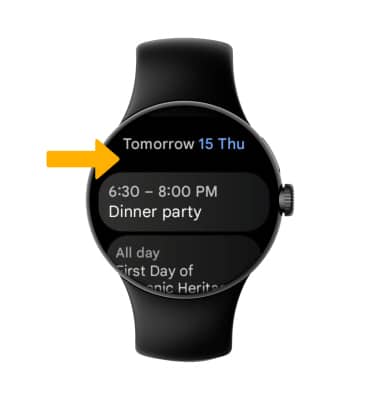
2. From the upcoming events list, scroll to and select the desired event.
Edit an event
Events can only be edited on your connected device. You will only be allowed to edit events you have created. From your connected device, navigate to and select the  Calendar app. Edit the event information as desired, then select Save.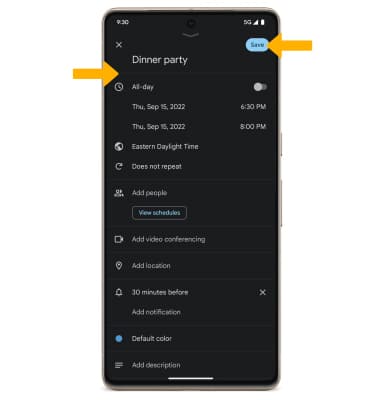
Delete an event
From the desired event on your connected device, select  Menu icon, then select Delete. Select Delete again to confirm.
Note: Events can only be deleted from your connected device.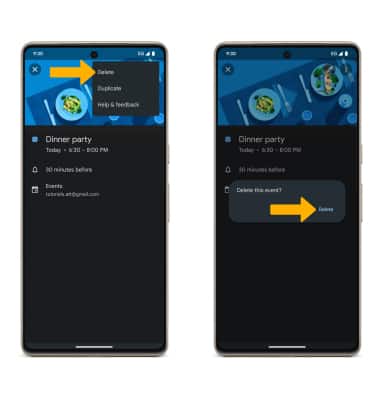
Access and edit calendar sync setting
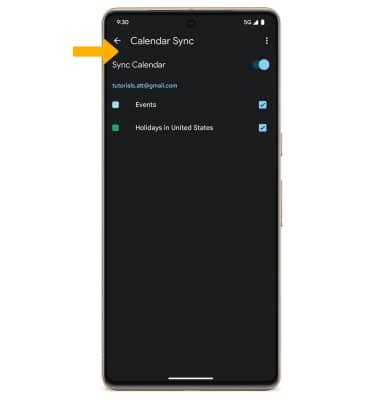
1. From the paired device, navigate to and select the  Google Watch app. Scroll to and select Watch preferences, then select Calendar Sync.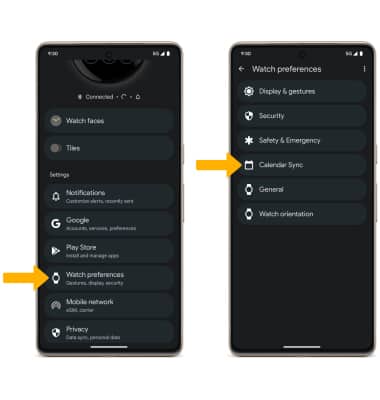
2. Edit settings as desired.