
Overview | Orientation | Tasks

 Previous
|
Next
Previous
|
Next 
Hunt Groups
The Hunt Groups page displays information about all of your company's Hunt Groups.
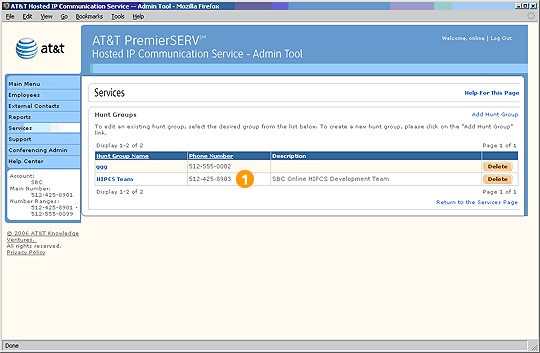
 Hunt Groups direct incoming calls from station to station in sequence until someone answers or voice mail picks up.
For example: You can specify that a department's administrative assistant is the first member in a Hunt Group. If he or she does not answer an incoming call, it will automatically be routed to the second Hunt Group member. If the second person does not answer, the call will be routed to the third Hunt Group member, and so on until the call is answered.
Select a Hunt Group name to view and edit information about it.
Select Add Hunt Group to add a new Hunt Group.
Select an underlined column header to sort the entries by that column. Selecting the header again will reverse the order.

The phone number listed for a Hunt Group is the first number that an incoming call will ring.
Related Pages
Previous
|
Next