
Overview | Orientation | Tasks

 Previous
|
Next
Previous
|
Next 
Call Groups
The Call Groups page displays information about all of your company's Call Groups.
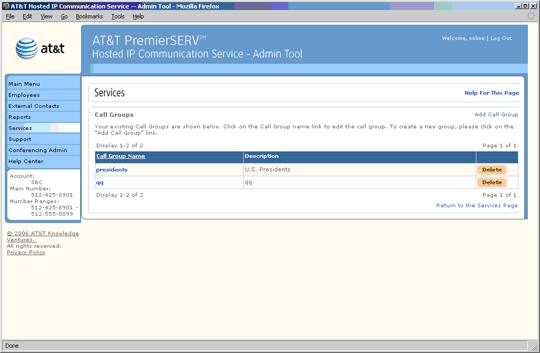
 Call Groups are groups of Employees who can share calling features.
For example: Employees are put in the "Sales" Call Group. Once the Group Call Pickup feature is activated in their Class of Service, they will be able to use the feature with all other Employees in the "Sales" Call Group.
Select a Call Group name to view and edit information about it.
Select Add Call Group to add a new Call Group.
Select an underlined column header to sort the entries by that column. Selecting the header again will reverse the order.
Related Pages
Previous
|
Next