
Overview | Orientation | Tasks

 Previous
|
Next
Previous
|
Next 
Task: Add a New Employee, continued
Steps

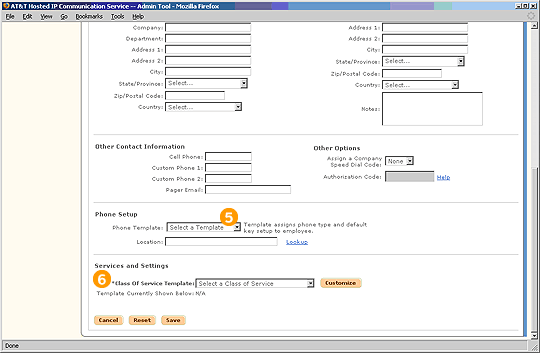
Select a Phone Template from the pull-down menu and assign a location for the Employee.

Assign a Class of Service Template to the Employee. Select Customize to modify individual services and dialing restrictions for the Employee

Select Save to add the new Employee.
Related Pages
Previous
|
Next