
Overview | Orientation | Tasks

 Previous
|
Next
Previous
|
Next 
Task: Add a New Class of Service Template
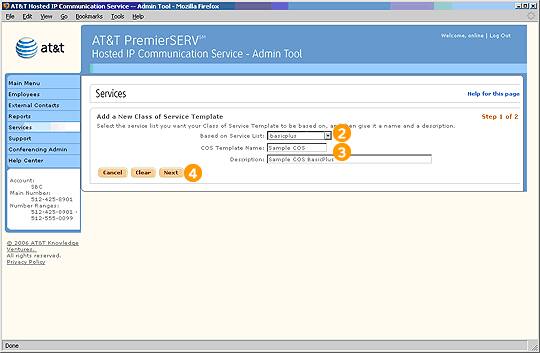
Step 1 of 2

Select "Add a New Class of Service Template" from the Class of Service Templates page.

Select a Service List from the pull-down menu. The default services and dialing restrictions for that Service List will be automatically checked below.

Enter a Name and Description for the Class of Service Template.

Select Next to proceed to the next screen.
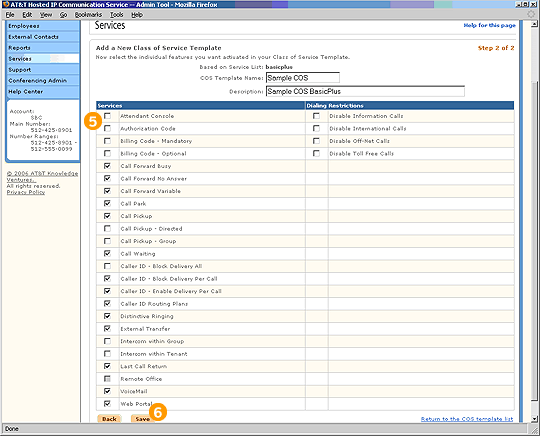
Step 2 of 2

In the list, manually check or uncheck the features and dialing restrictions you would like to be associated with this Class of Service Template.

Select Save to create the new Class of Service Template.
Related Pages
Previous
|
Next