
Overview | Orientation | Tasks

 Previous
|
Next
Previous
|
Next 
Task: Add a New Billing Code
Steps

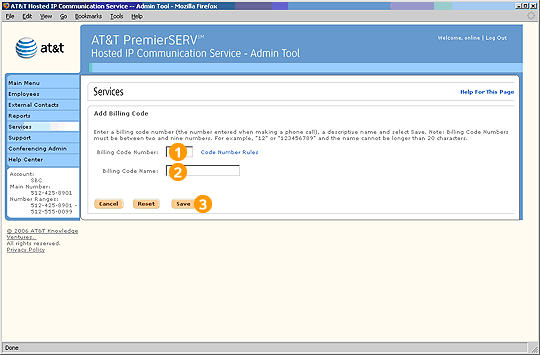
Enter a Billing Code number. This is the number that will be seen and used by Employees when they are tracking calls using Billing Codes.

Enter a description for the Billing Code.

Select Save to create the new Billing Code.
Related Pages
Previous
|
Next