Deals
iPhone deals
Samsung Galaxy deals
Gift ideas
Business employee
55+
Military
Active first responders
Retired responders
Nurses & physicians
Teachers
Union
Credit card discount
&More Benefits
Explore wireless
Phone plans
New phones & devices
Upgrade
Bring your own phone
Add a Line
Switch and save
Trade in your device
International phone plans
Shop new iPhones
Shop Certified Pre-Owned
iPhone 17
Samsung Galaxy S25
Why AT&T Wireless
Wireless help
More resources
Explore home internet
Internet plans
Fiber internet
Home Wi-Fi
Check availability
AT&T Internet Air
Moving services
Bundles
Gaming
Home business
Internet help
Speed test
More resources
Access from AT&T
Explore AT&T PREPAID
Prepaid plans
Prepaid phones
Bring your own phone
Prepaid deals
Prepaid account
Activate your service
Lease-to-Own
Home Phone Services
AT&T Phone
AT&T Phone – Advanced
Landline Phone
Lifeline
Phones & accessories
Digital phone help
Landline phone help
Bundles
Internet + Wireless
Internet + Phone
Home office
Smart watches & devices
Smart home
In-car Wi-Fi
All accessories
Headphones
Phone & tablet cases
Chargers
Screen protectors
Speakers & smart home
Internet & TV equipment
PopSockets & more
Gadgets & gaming
Accessory deals
Set up Voicemail or Answering Machine

Set up Voicemail or Answering Machine

Learn to set up and access the voicemail functions on your device.

INSTRUCTIONS & INFO
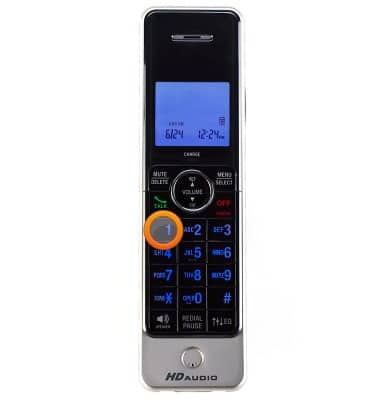
  1. To set up your voicemail, dial 1 on your connected home phone.
    device 2517/1227363.jpg
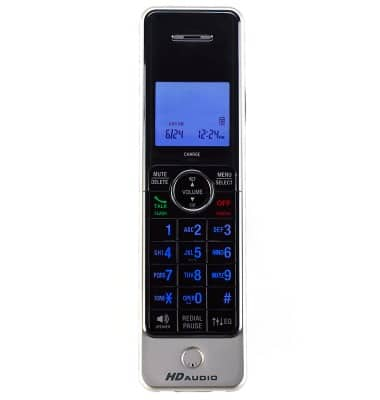
  2. Follow the prompts to create and enter a 4 to 15-digit voicemail password.
    Note: Your password can be any random 4 to 15-digit number and should be difficult for someone to discover. Avoid using your mobile number or any portion of it in your password.
    device 2517/1227369.jpg
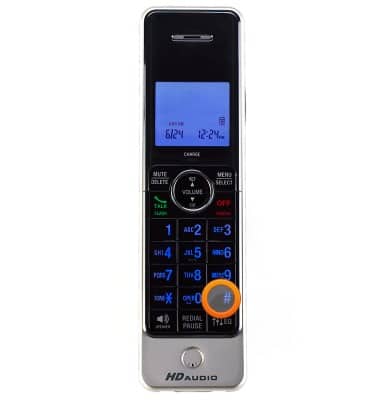
  3. Record your personal greeting, then press the # key.
    device 2517/1227370.jpg
  4. After completing the setup process, press the * key to return to the Main Menu.
    device 2517/1227371.jpg
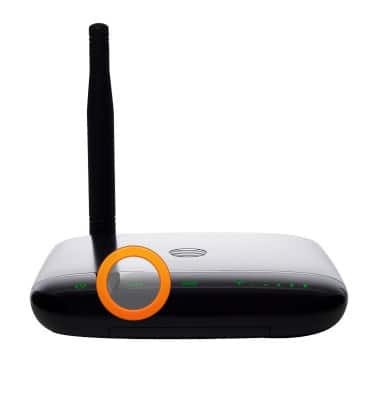
  5. When you have a new voicemail, the voicemail LED will blink green and you will hear an intermittent dial tone when you pick up your phone.
    device 2517/1227372.jpg
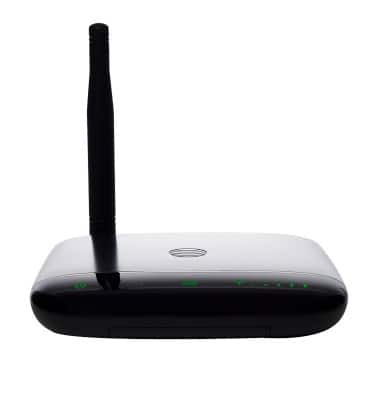
  6. If you choose to use an answering machine instead of voicemail, you will need to set your answering machine to pickup calls before voicemail, which is fewer than 4 rings. Or, you can remove voicemail from your account by calling AT&T Customer Care by dialing 611 from your connected phone or 800-331-0500.
    Note: Messages left on your network voicemail will not be reflected on your phone.
    device 2517/1227373.jpg
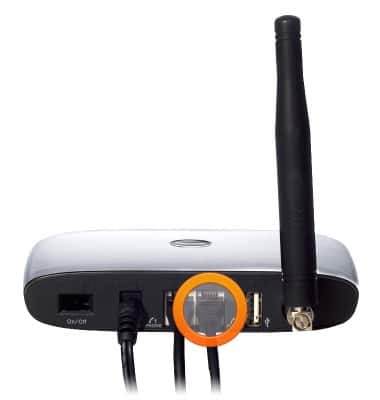
  7. If you have a standalone answering machine, you can plug it into the Phone 2 port on the back of your Wireless Home Phone device.
    Note: The Phone 2 port uses the same phone number as the Phone 1 port.
    device 2517/1227377.jpg

Did you get the help you needed?


Did you get the help you needed?