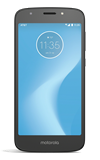
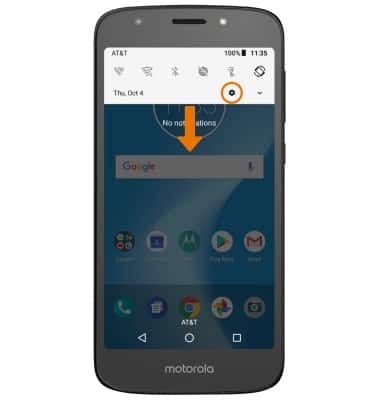
- SET A SECURITY LOCK: Swipe down from the Notification bar, then select the Settings icon.
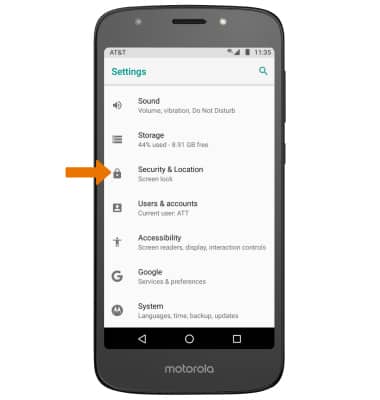
- Scroll to and select Security & Location.
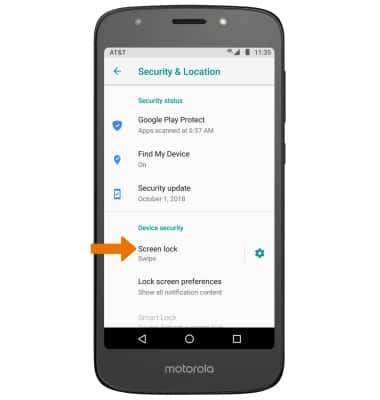
- Select Screen lock.
- Select the desired screen lock method.
Note: For this demonstration, PIN was selected. If you choose Pattern lock, you will have to factory reset your device if you forget your Pattern lock. See the Reset Device tutorial for alternate reset instructions.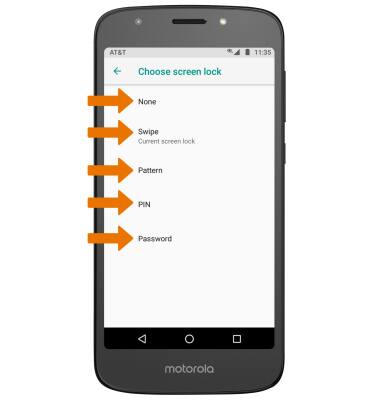
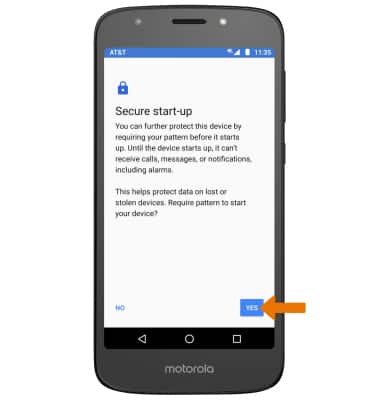
- Review the Secure start-up prompt, then select the desired option .
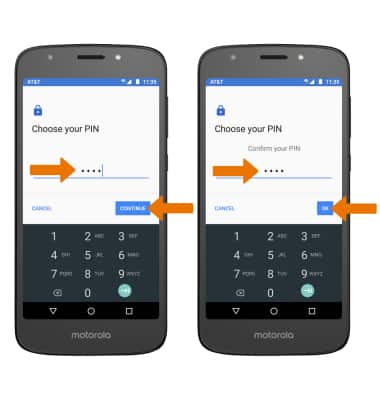
- Enter your PIN, then select CONTINUE. Enter it again, then select OK.
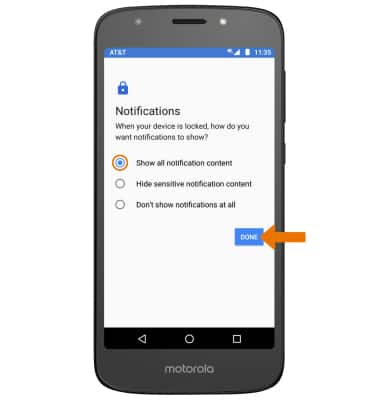
- Select desired display option for notifications, then select DONE.
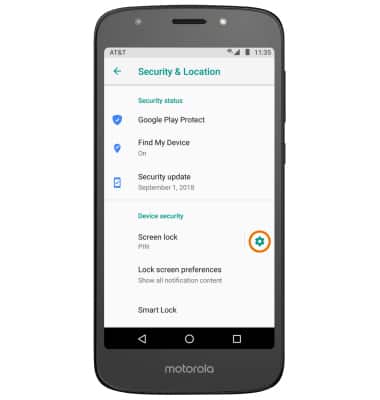
- CHANGE LOCK SCREEN TIMEOUT: From the Security & Location screen, select the Settings icon next to Screen lock.
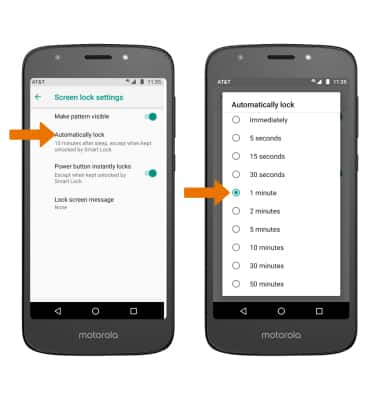
- Select Automatically lock, then select the desired timeout duration.
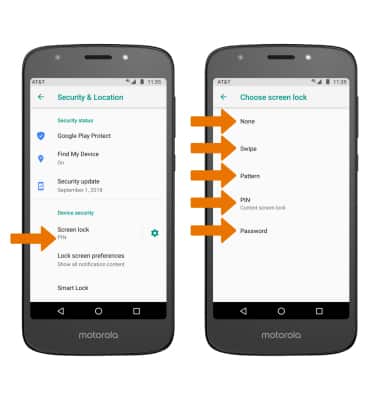
- CHANGE LOCK TYPE: From the Security & Location screen, select Screen lock > enter your current PIN lock > select the desired screen lock type and follow prompts to complete set up.
Secure My Device
Motorola Moto e5 play (XT1921-2)
Secure My Device
Lock or unlock your display, set a screen security lock type (pin, password, or pattern), get your PUK code, or request your device be unlocked from the AT&T network.
INSTRUCTIONS & INFO

To learn more about requesting a device unlock for your AT&T mobile device so that it can operate on another compatible wireless network, visit www.att.com/deviceunlock. If your device is locked and is requesting a "PUK" code, click here for instructions on how to obtain your PUK or PUK2 code.