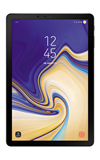
- To create a mobile hostpot, you must have an eligible data plan.
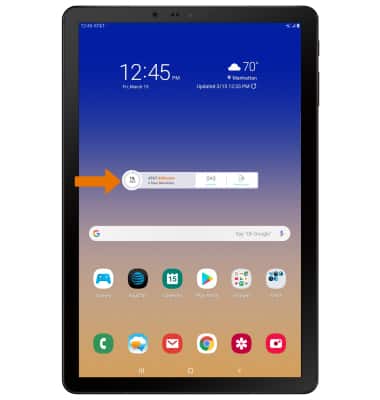
- From the home screen, select the AT&T AllAccess widget.
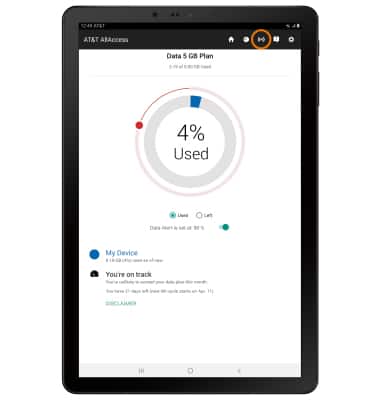
- Select the Mobile Hotspot icon.
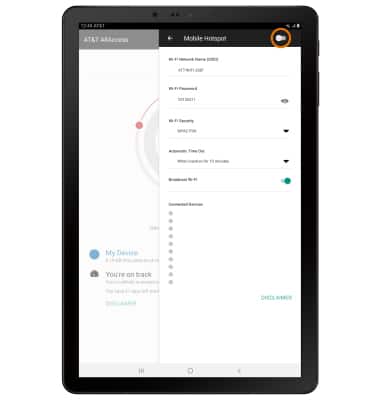
- Select the switch to turn your hotspot on.
- Select OK.
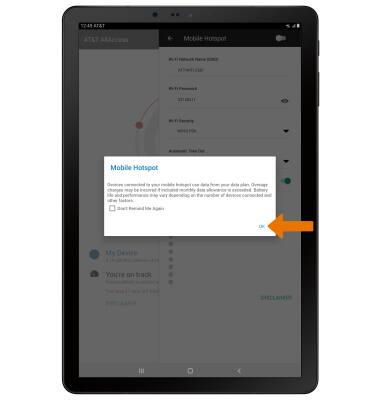
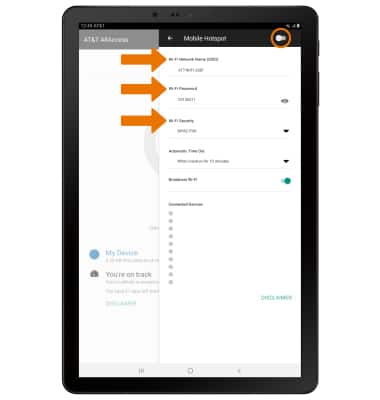
- EDIT MOBILE HOTSPOT SETTINGS: Mobile Hotspot must be disabled in order to edit the settings. With Mobile Hotspot disabled, edit settings as desired then select the Mobile Hotspot switch to save your changes.
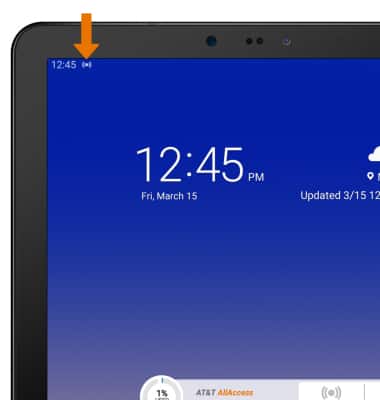
- When Mobile Hotspot is on, the Mobile Hotspot icon will be displayed in the Notification bar.
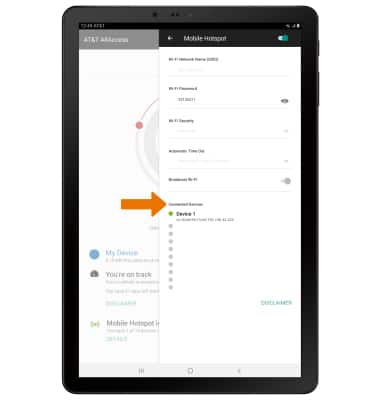
- View connected devices under Connected Devices on the Mobile Hotspot settings menu.
Mobile Hotspot
Samsung Galaxy Tab S4 (SM-T837A)
Mobile Hotspot
Set up your device as a mobile hotspot and share your data connection with Wi-Fi-capable devices.
Wi-Fi & Mobile Hotspot
Set up your device as a personal hotspot and share your data connection with Wi-Fi-capable devices.
Wi-Fi & Mobile Hotspot
2:10
INSTRUCTIONS & INFO

Starting December 31, 2022, the AT&T AllAccess app is going away. As a result, some features on your device may no longer be supported. You'll be able to view data usage and notifications on your myAT&T account page, and you can explore other options to stay connected with your device on the go. Learn more about mobile hotspot options.