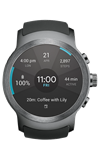
- VIEW AVAILABLE MEMORY: You can monitor the device memory from the Android Wear app on your hand held device. Select the Android Wear app on your phone.
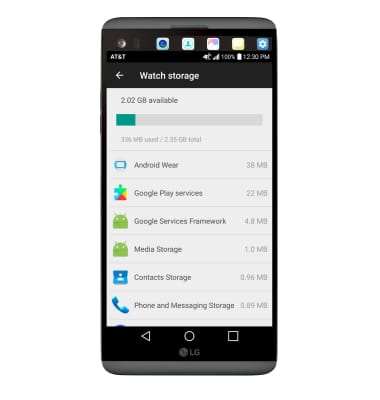
Note: This device is available with 2.35GB of internal, usable memory.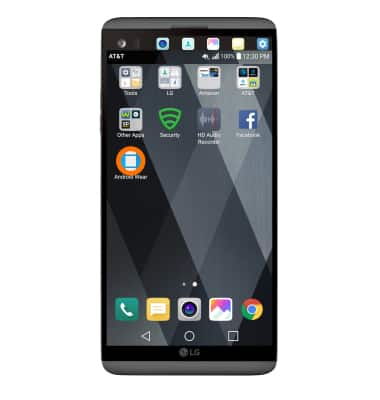
- Select the Settings icon next to your device name.
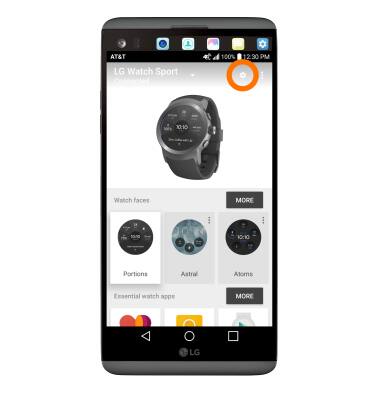
- Select the device name.
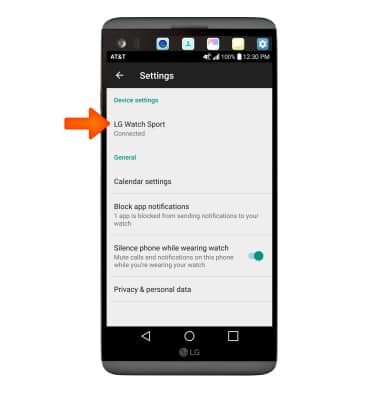
- Select Watch storage.
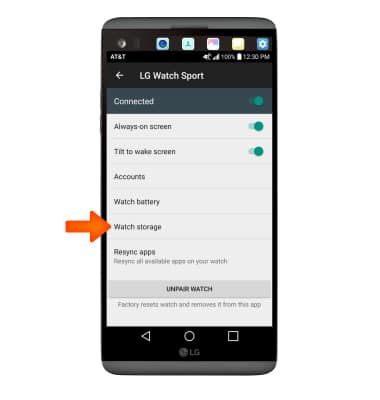
- Here you can view device memory. Scroll down to view memory usage broken down by app.
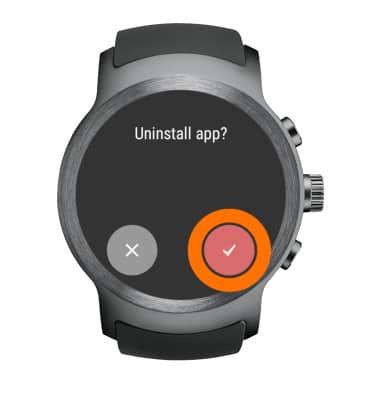
- UNINSTALL UNUSED WATCH APPS: From the clock-screen, press the Rotating Side button > select Settings > Apps > desired app > Uninstall > Checkmark icon.
Available Memory
LG Watch Sport (W280A)
Available Memory
Check the available device storage and free up memory by uninstalling unused apps.
INSTRUCTIONS & INFO