To begin, press the Select button to select START PROVISIONING. Press the Select button to select SCAN, then follow the prompts. Press the left directional button to highlight SKIP, then press the Select button if you would like to continue setting up without provisioning.
Note: Before setting up your device, make sure you have completed the online activation process. Please see Activate phone, SIM card, or other device for more information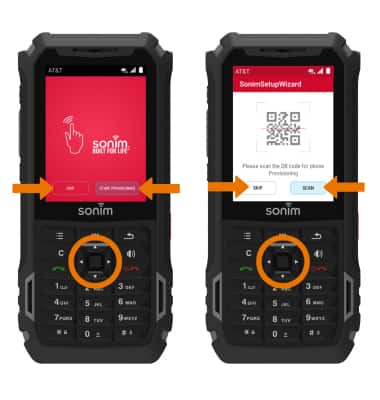
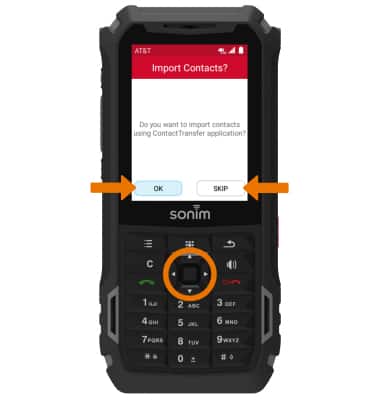
- Press the Select button to select OK if you wish to import contacts. Press the right directional button to highlight SKIP then press the Select button if you wish to continue setting up without importing contacts.
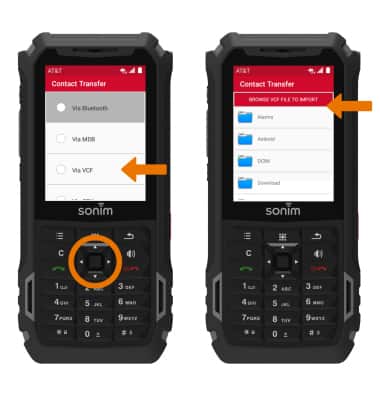
- Press the down directional button to scroll to the desired option, then press then Select button. Follow the prompts to transfer the desired content.
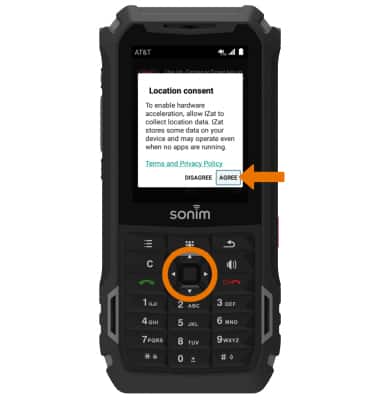
- Review the Location consent prompt. If you agree, press the directional buttons to navigate to AGREE then press the Select button.
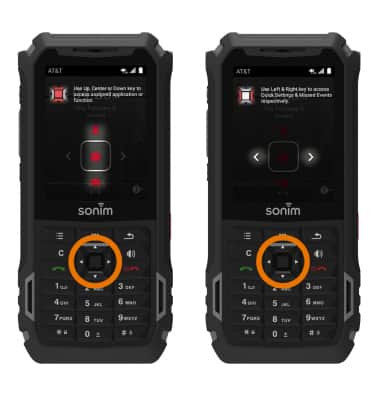
- Review the device directional button prompts, then press the Select button. Your device is now ready to use.
Device Setup
Sonim XP5s (XP5800)
Device Setup
Set up your device for the first time or after having done a factory reset.
Settings Overview
Set up your device for the first time or after having done a factory reset.
Settings Overview
2:24
INSTRUCTIONS & INFO