
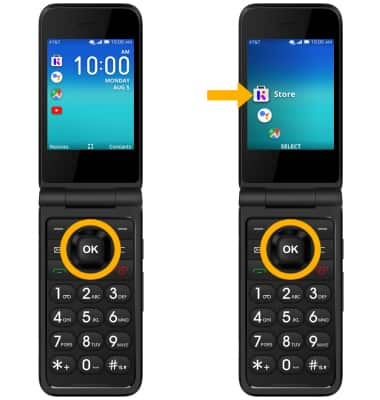
Note: Alternately, you can access the KaiOS store by pressing the OK button to access the Apps tray > navigational buttons to highlight the KaiOS Store > OK button to select.
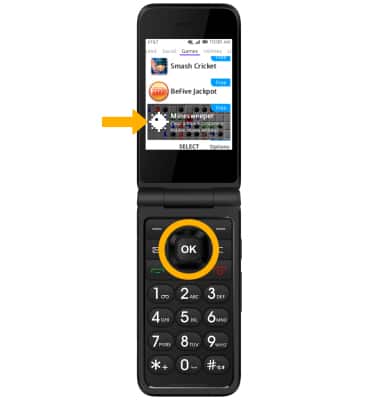
2. DOWNLOAD AN APP: Press the navigational buttons to highlight the desired app, ringtone, or wallpaper, then press the OK button.
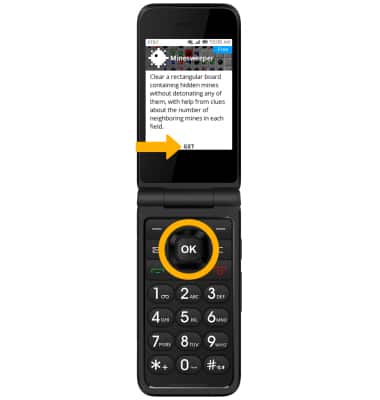
3. Press the OK button to select GET.
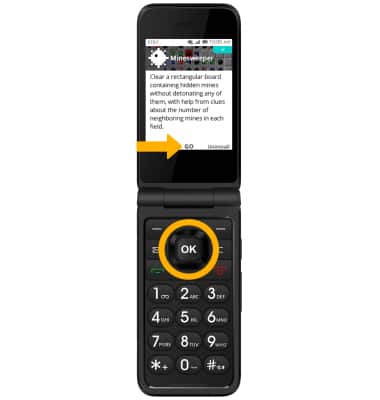
4. To access the app after it has downloaded and installed, press the OK button to select GO.
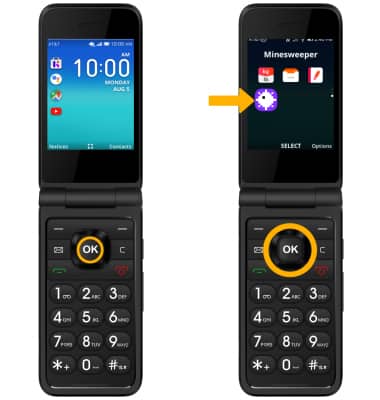
5. ACCESS AN APP FROM THE APP TRAY: From the home screen, press the OK button to access the Apps tray. Press the navigational buttons to highlight the desired app, then press the OK button to select.
6. ACCESS APP SHORTCUTS: From the home screen, press the left button to access app shortcuts. Press the up or down button to highlight the Store, Assistant, Maps, or YouTube apps.