
Overview | Orientation | Tasks

 Previous
|
Next
Previous
|
Next 
Task: Enter Profile Information
Steps

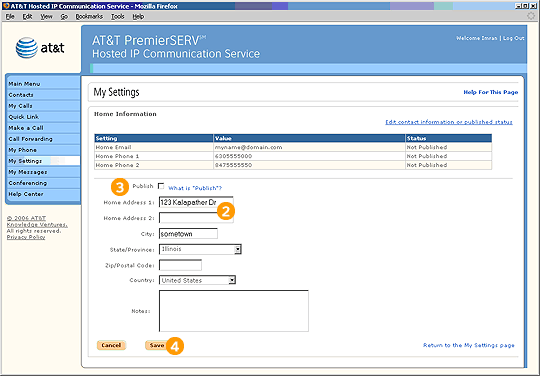
From the My Settings page, select the type of information you would like to enter (Home Information or Phone Numbers and Other Contact Information). Note: You can select "Work Information" to view the information in your work profile, but only your Office Administrator can edit this information.

Enter information into the appropriate fields. You don't have to enter information into every field, but it will be helpful to be as complete as you can.

Toggle the checkbox to choose whether or not you would like your information to be published in Company Contacts.

Select Save to save your profile information.
Related Pages
Previous
|
Next