
Overview | Orientation | Tasks

 Previous
|
Return to Overview
Previous
|
Return to Overview 
Task: Reset Password
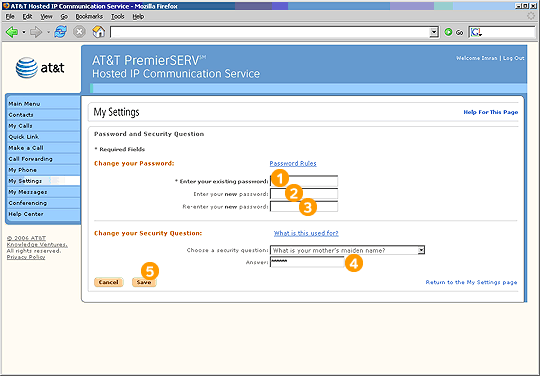
Steps

Enter the password you currently use to log into HIPCS.

Enter what you would like your new password to be. Select "Password Rules" to view the criteria your new password must meet.

Enter your new password again for verification purposes.

Select a security question from the pull-down menu and enter your answer in the field.

Select Save to change your password and security question.
Related Pages
Previous
|
Return to Overview