
Overview | Orientation | Tasks

 Previous
|
Next
Previous
|
Next 
Administrative Groups
To lighten your heavy workload or to create redundancy oversight, you can create Administrative Groups. This page contains a list of all your current Administrative Groups.
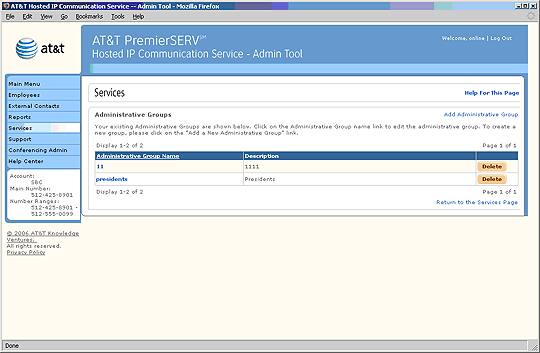
 Administrative Groups are subsets of Employees whose HIPCS accounts can be managed by a Group Administrator other than you. A Group Administrator has access privileges through the HIPCS Office Administrator portal, and can monitor and manage all HIPCS features for Employees who are under his or her control.
For example: You might create an Administrative Group for each floor of your office building. By assigning a Group Administrator to the Employees on each floor, you can ensure that Employees have more direct access to their HIPCS Administrator.
Select an Administrative Group Name to view and edit information about the Group.
Select an underlined column header to sort the entries by that column. Selecting the header again will reverse the order.
Select Add Administrative Group to add a new Administrative Group.
You cannot assign a Group Administrator to an Administrative Group from this page. You must go to the Group Administrator page in Services.
Related Pages
Previous
|
Next