Update your DSL network password – Motorola 2210
Your Digital Subscriber Line (DSL) network password is system generated and is used by the modem or router to authenticate and connect to the DSL network.
You’re viewing instructions for
Internet equipment
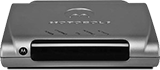
Motorola
2210 2+0 (silver)
KM1047382-slctrgrp_moto2210slvr
Network password update
Note: The network password is stored in your modem or router and shouldn’t be modified unless you’re asked to do so by an AT&T technician.
- Go to your gateway settings.
- Select Easy Login.
- Verify your AT&T or Member ID is correct. If it isn’t, enter the correct ID.
- Enter your Password in the Password field.
- Enter your Password in the Confirm Password field.
- Select Connect.
Once your connection successfully completes, a You are Connected page displays.
Last updated: March 30, 2026