Update your DSL network password – Netgear 7550
Your Digital Subscriber Line (DSL) network password is system generated and is used by the modem or router to authenticate and connect to the DSL network.
You’re viewing instructions for
Internet equipment
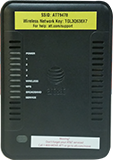
Netgear
7550 B90
KM1047393-slctrgrp_netg7550b90
Network password update
Note: The network password is stored in your modem or router. It shouldn’t be modified unless you’re asked to do so by an AT&T technician.
- Go to your gateway settings.
- Select Advanced.
- Enter your Device Access Code found on the side or bottom of your modem.
- Select Continue.
- Select Connection Configuration.
- Verify your AT&T or Member ID is correct. If it isn’t, enter the correct ID.
- Enter your DSL Network Password in the Password field.
- Enter your DSL Network Password in the Retype Password field.
- Select Save.
Last updated: April 8, 2026