Learn about your NVG599
Get details on using your NVG599 to connect to the internet and find help for common issues.
You’re viewing instructions for
Internet equipment
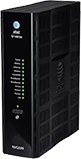
Arris
NVG599
KM1050507-slctrgrp_arrnvg599
Status lights
Power light
- Green (solid): Power is on
- Green (flashing): Power-On Self-Test (POST) is in progress.
- Red (flashing): A POST failure (not bootable) or device malfunction occurred.
- Orange/Amber: Firmware upgrade is in progress.
- Off: The unit has no AC power.
Battery light
- Green (solid): Battery is in place but isn’t being used.
- Green (flashing): The battery is charging.
- Red (solid): The battery backup is faulty.
- Red (flashing): The battery should be replaced.
- Amber (solid): The battery is in use.
- Amber (flashing): The battery is low.
- Off: There isn’t a battery, or the battery isn’t charged.
Ethernet light
- Green (solid): A computer or device is connected to an Ethernet port.
- Green (flickering): There’s activity from a device connected to an Ethernet port. The flicker is synchronized to data traffic.
Wi-Fi light
- Green (solid): A computer or device is connected by Wi-Fi® to the gateway.
- Green (flickering): There’s activity from a device connected through Wi-Fi. The flicker is synchronized to data traffic.
HomePNA light
- Green (solid): A powered device is connected to the associated port.
- Green (flickering): There’s activity from devices connected to the port. The flicker is synchronized to data traffic.
Broadband 1, 2 light
- Green (solid): The gateway is connected to our network.
- Green (flashing): The gateway is trying to connect to our network.
- Green & red (flashing): The gateway has been trying to connect to our network for more than three minutes.
- Red (flashing): The gateway can't connect to our network or isn’t detecting a DSL signal.
Service
- Green (solid): The gateway has obtained an IP address from our network. The connection is active.
- Green (flashing): The gateway is trying to obtain an IP address.
- Red (solid): Internet service authentication has failed.
Phone 1, 2 light
- Green (solid): A phone is connected and registered.
- Green (flashing): A phone is off the hook on the associated line.
USB light
- Green (solid): A device is connected to the USB port.
- Green (flashing): There’s activity from a device connected to the USB port. The flicker is synchronized to data traffic.
WPS light
This appears after using the WPS button.
- Green (solid): Wi-Fi Protected setup completed successfully.
- Green (flashing): WPS is broadcasting to connect devices.
- Red (flashing): Session overlap was detected.
- Red (solid): WPS is disabled, or a WPS connection failed.
Status lights during firmware upgrades
Firmware updates keep your Wi-Fi gateway running smoothly. During the software installation, you’ll lose internet and phone service. The lights will function as follows:
- As firmware is being loaded into flash, the lights will operate normally as described.
- During firmware upgrade installation, the Power light will flash Orange/Amber and all other lights will be off.
Wi-Fi info
Find Wi-Fi info
Get your Wi-Fi® name and password to connect devices to your network:
- Wi-Fi gateway: Look for a sticker with your Wi-Fi name and password.
- QR code: Use your mobile device to automatically connect devices to your hub.
- Smart Home Manager: Open Smart Home Manager and look for My Wi-Fi.
Change Wi-Fi name
- Sign in to Smart Home Manager
- Scroll to the My Wi-Fi card and choose Change next to the name or password.
- Select X to clear existing info, then enter a new name or password.
- Select Save.
Once you finish making changes, reconnect your devices with the updated network info.
FYI: You can also update your Wi-Fi from your Wi-Fi gateway settings.
Manage Wi-Fi security
Your gateway comes with the security On. If the security was turned Off, this is how to turn it back on.
- Go to your gateway settings.
- Select Home Network, then Wireless.
- Enter the Device Access Code (found on the gateway) in Password.
- Make sure AT&T ID is On.
- Scroll to Security and select WPA-PSK from the dropdown.
- Enter the new Wi-Fi password (Wireless Key) in Key entry.
- For 64-bit encryption, enter a 10-digit password made up of numbers and letters a-f or A-F.
- For 128-bit encryption, enter a 26-digit hexadecimal number made up of numbers and letters a-f or A-F.
- Select Save.
Advanced settings
Hide Wi-Fi info
Important: Before following these steps, be sure to store your Wi-Fi network name and password in a safe location. You’ll have to manually enter them after your network name is hidden. Then, choose your equipment type to get detailed instructions.
- Go to your gateway settings.
- Select Home Network and then Wi-Fi.
- Enter the Device Access Code found on your gateway and select Continue.
- Go to the Wi-Fi section and choose Advanced Options.
- Under 2.4Hz Radio or 5.0Hz Radio scroll to Home SSID.
- Look for Hide Network Name and select On from the dropdown.
- Select Save.
Port forwarding
Important: Use port forwarding with caution. It may allow others to access devices in your home without your knowledge.
To open a port for user-defined applications:
- Go to your gateway settings.
- Select Firewall.
- Enter the Device Access Code found on your gateway.
- Select NAT/Gaming. If you get a warning message, restart your Wi-Fi gateway. Then, continue with these steps.
- Select Continue.
- Select the application for port forwarding from the Service drop-down. If you don’t see your application, or you're setting up port forwarding for a device:
- Select Custom Services.
- Enter the name for the application or device in Service Name.
- Enter the port(s) you wish to open for Global Port Range. It's recommended to create a separate service entry for each port as opposed to using a port range. In this case the port number should be the same in the Global Port Range fields.
- In Base Host Port, enter the port number used in the first field of the Global Port Range section.
- Select the appropriate Protocol from the drop-down for the application or device you want to add.
- Select Add. Repeat as needed for other applications and devices.
- Select Return to NAT/Gaming when you’ve added all applications or devices. Your new applications or devices will display in the Applications list.
- Select the device name or IP address of the device you wish to open the port from Needed by Device, then select Add.
- Select Save when your selection displays in Hosted Applications.