Device Setup
Device Setup
Set up your device for the first time or after a factory reset.
INSTRUCTIONS & INFO
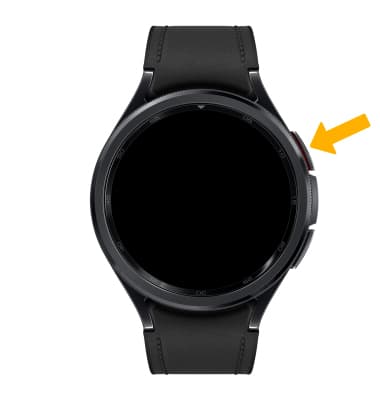
1. Press and hold the Home button to turn on the watch.
2. To connect your watch with your smartphone, navigate to and select the
 Galaxy Wearable app, then select Continue.
 Note: To install the Galaxy Wearable app, from the home screen, select the
 Play Store app > search for and select Galaxy Wearable app > select Install > Open. For more information, see the Download Apps & Games tutorial.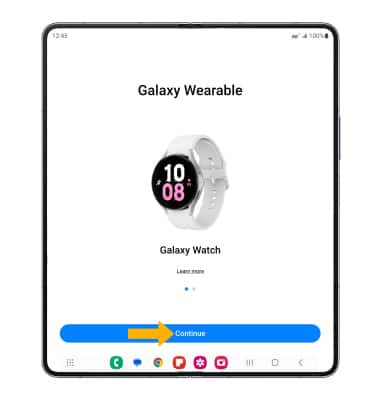
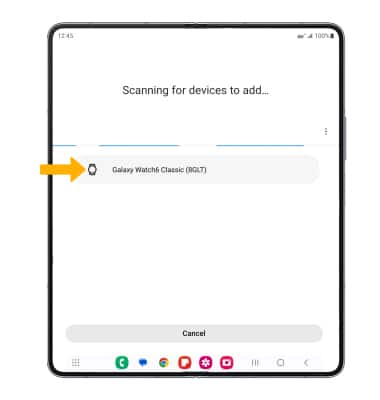
3. Select the desired watch to connect to.
4. Verify that the code on the smart phone you want to connect matches the code on the watch, then select Confirm.
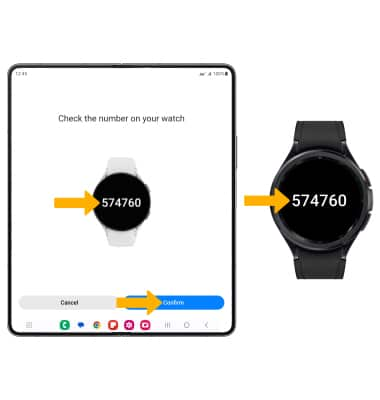
4. Verify that the code on the smart phone you want to connect matches the code on the watch, then select Confirm.
5. Review the For your review prompt, select the desired circle(s), then select Continue.
6. Review the Terms of service prompt, select the desired option(s). When finished, select I agree to continue.
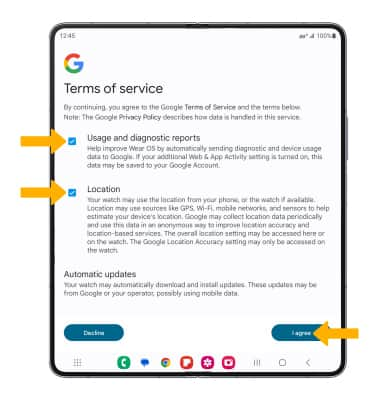
7. Review the Get updates automatically prompt, then select the desired option.
8. Select the desired Google account, then select Next and follow the prompts to log into your account.
Note: Select Skip to continue without signing into your Google account.
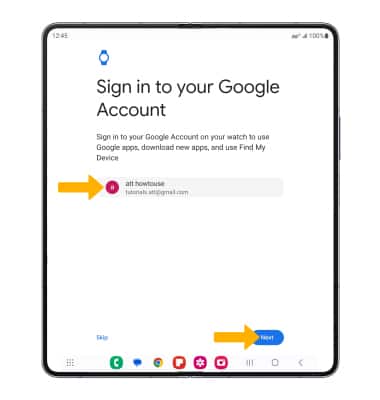
9. Review the Automatic watch backup prompt, then select Next.
Note: Select Skip to continue without signing into your Google account.
9. Review the Automatic watch backup prompt, then select Next.
10. Review the Smart Switch permission prompt, then select Allow to give permissions.
11. Review the Restore backup prompt, then select the desired option.
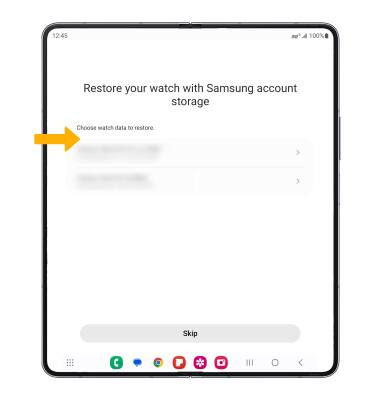
12. Edit the wearing preferences as desired, then select Next.
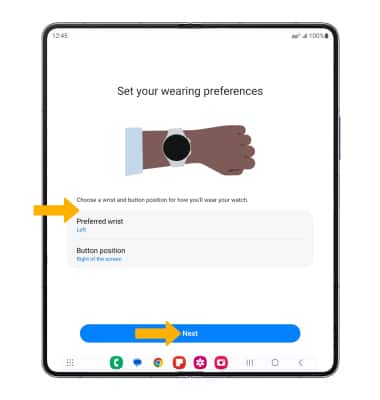
13. Select Next to proceed through all the tutorial prompts.
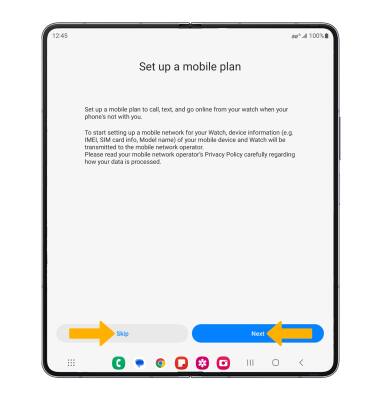
14. To setup a mobile plan, select Next. To continue without setting up a mobile plan, select Skip.
15. Select Use plan.

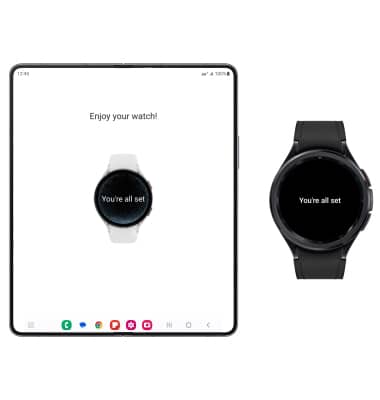
16. Set up is now complete.