Circle to Search
Circle to Search allows you to search anything on your phone without switching apps.
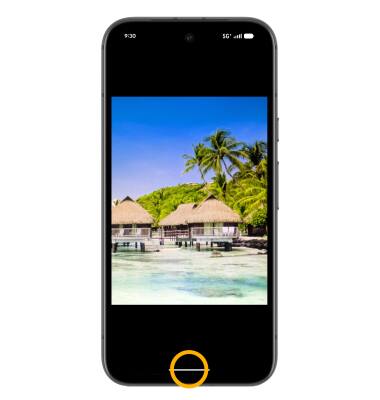
1. Circle to Search can be used on any screen to quickly lookup an image, text, or even a video. To launch Circle to Search, from any app, select and hold the Navigation handle at the bottom of the screen.
Note: If this is your first time accessing Circle to Search, review the prompt and select Continue. Circle to Search is enabled by default. To access Circle to Search while using 3-button navigation, press and hold the Home key.
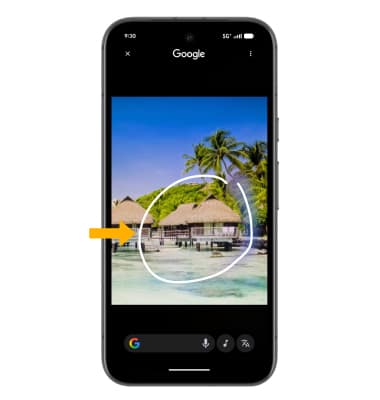
2. With your finger, circle the desired object to search.
Note: If you are looking up text, select and hold the desired text. If you are using Circle to Search while watching a video, you do not have to pause the video.
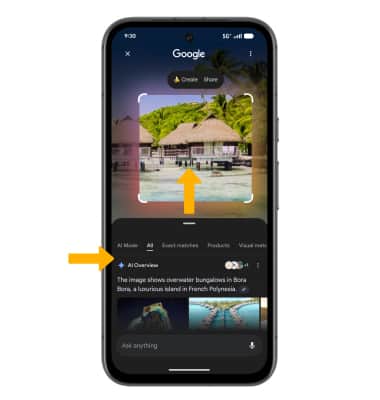
3. Your search results will appear at the bottom of the screen. Swipe up to view more search results.