USB Tethering
USB Tethering
USB tether your device with your computer when there is too much Wi-Fi interference to connect wirelessly.
INSTRUCTIONS & INFO
In this tutorial, you will learn how to:
• Connect devices using USB-C
• Turn USB tethering on or off from device
• Turn USB tethering on or off from device
Connect devices using USB-C
Insert the USB-C end of the USB-C cable into the USB-C port at the base of the device. Insert the USB end of the USB-C cable in the USB port on the computer.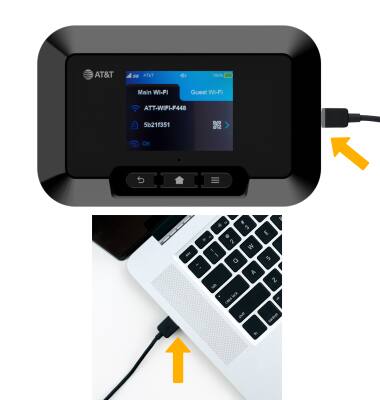
Turn USB tethering on or off from device
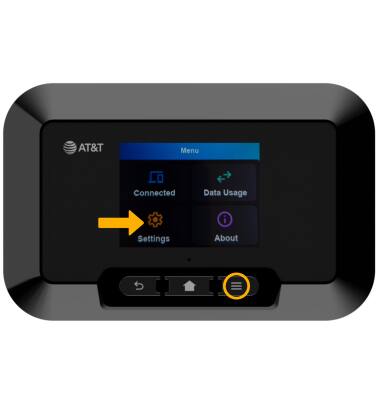
1. From the device home screen, press the Menu button, then select Settings.
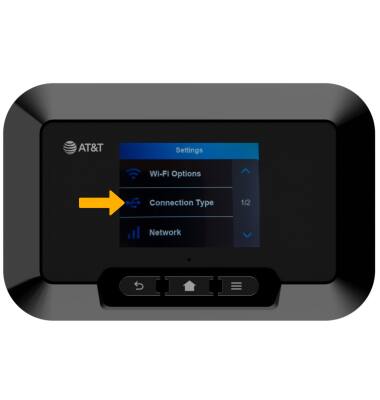
2. Select Connection type.
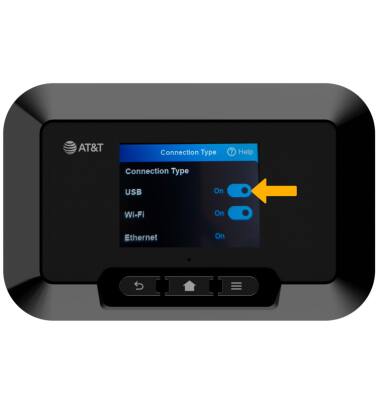
3. Select the switch next to USB to enable or disable USB tethering.