Sounds
Sounds
Change volume settings, ringtones, and notification alerts.
INSTRUCTIONS & INFO
In this tutorial, you will learn how to:
• Adjust volume
• Activate silent mode
• Access additional volume settings
• Activate silent mode
• Access additional volume settings
• Change ringtone
Adjust volume
Press the Volume Up/Down buttons located on the left side of the device to adjust the media volume.
Note: To use the Volume Up/Down buttons to adjust ring volume, press the navigation keys and Select button navigate to Menu > Settings > Sounds > Default volume button control > select Ringtone and press the Center Dynamic key to select OK to confirm.
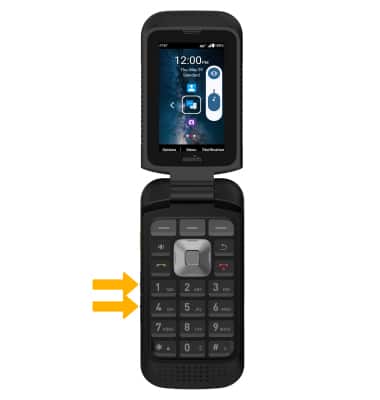
Note: To use the Volume Up/Down buttons to adjust ring volume, press the navigation keys and Select button navigate to Menu > Settings > Sounds > Default volume button control > select Ringtone and press the Center Dynamic key to select OK to confirm.
Activate silent mode
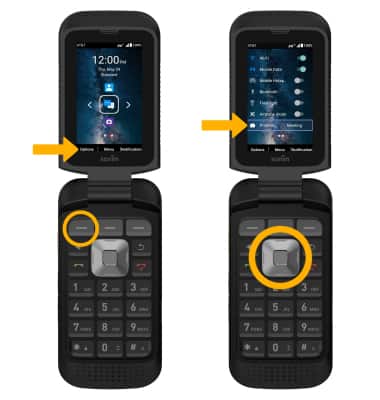
1. From the home screen, press the left navigation key to select Options. Press the down navigation key to scroll to and highlight Profiles, then press the Select button.
2. Press the navigation keys to scroll to and highlight Silence, then press the Select button to select.
Note: When Silent mode is active, the Silent mode icon will be displayed in the Notification bar.
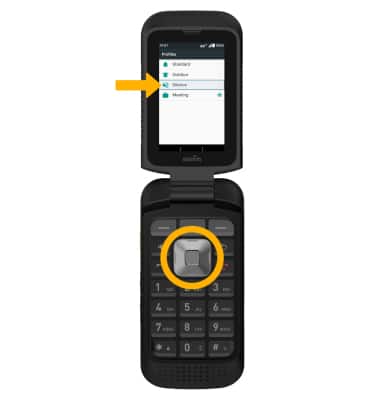
2. Press the navigation keys to scroll to and highlight Silence, then press the Select button to select.
Note: When Silent mode is active, the
Silent mode icon will be displayed in the Notification bar.Access additional volume settings
1. Press the Center Dynamic key to access the Menu. Press the navigation keys to highlight the  Settings app, then press the Select button to select.
Settings app, then press the Select button to select. 2. Press the navigation keys to highlight Sound & Vibration, then press the Select button.
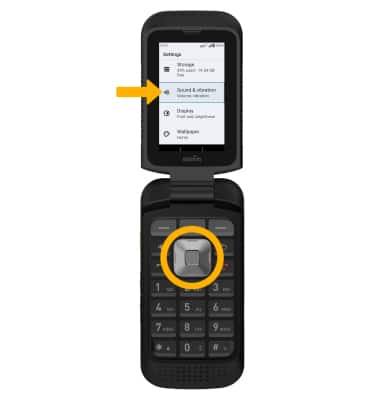
3. Use the Navigation keys and Select button to edit Sound & vibration settings as desired.
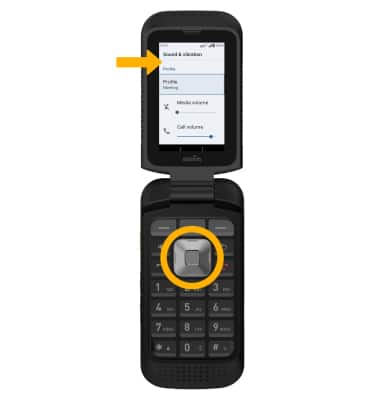
Change ringtone
1. From the Sound & Vibration screen, press the navigation keys to highlight Phone ringtone then press the Select button.
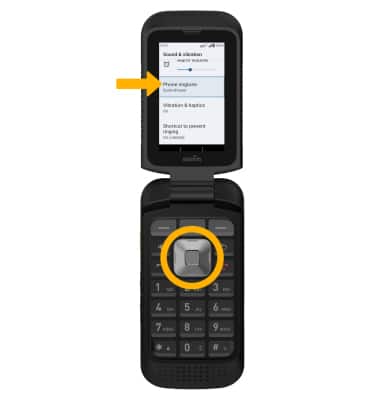
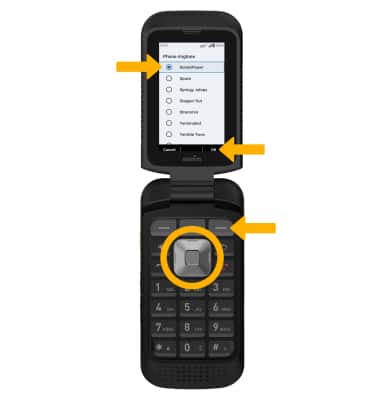
2. Press the navigation keys to highlight the desired ringtone, then press the Right Dynamic key to select OK.
2. Press the navigation keys to highlight the desired ringtone, then press the Right Dynamic key to select OK.