Forgot AT&T Wi-Fi Manager Log On
Forgot AT&T Wi-Fi Manager Log On
This article describes what to do in the event you forget your AT&T Wi-Fi Manager Log On.
INSTRUCTIONS & INFO

The default admin password for the online WebUI is displayed on the Wi-Fi info screen.
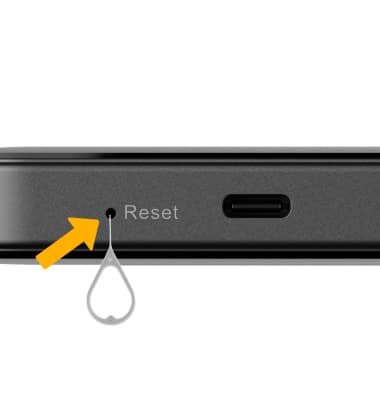
If you do not remember your AT&T Wi-Fi Manager login, you must do an alternate factory reset of the device. To perform an alternate factory reset, insert a paperclip or sim tool into the Reset hole on the right side of the device then hold for 6 seconds. The AT&T GoLink™ 5G Hotspot will factory reset.
Note: For more information on performing a factory reset, please see the Reset device tutorial.