Set up personal email
Set up personal email
Add your personal email account to sync email, contacts, calendar, and notes to your device.
INSTRUCTIONS & INFO
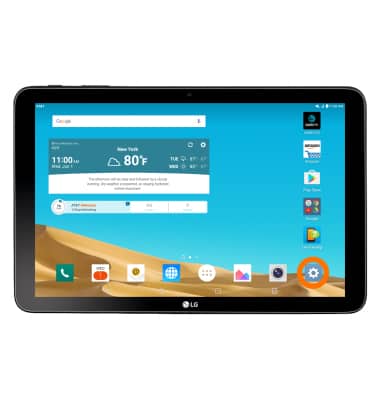
- From the home screen, tap the Settings icon.
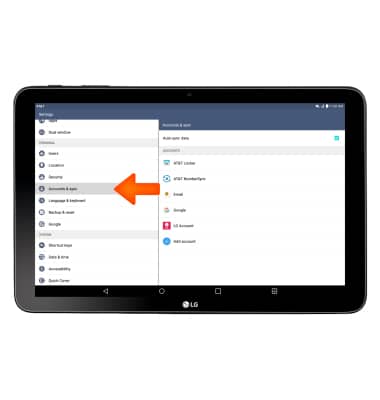
- Scroll to and tap Accounts & sync.
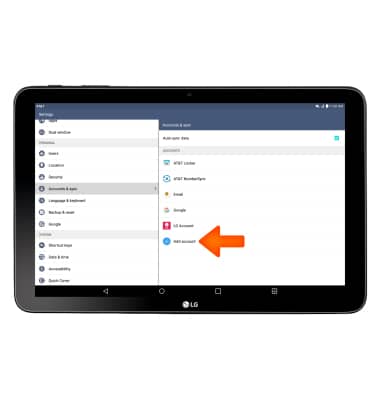
- Tap Add account.
- Tap the desired email account provider.
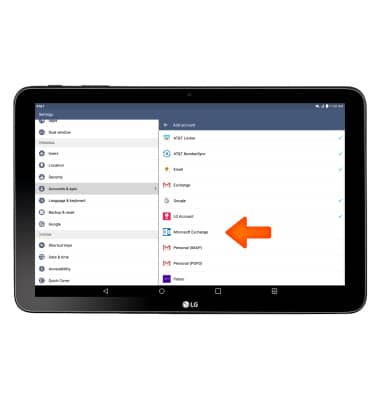
- Enter your Email address, and then tap NEXT.
Note: To manually configure email settings, such as server settings and security type, tap Manual settings and enter the required information.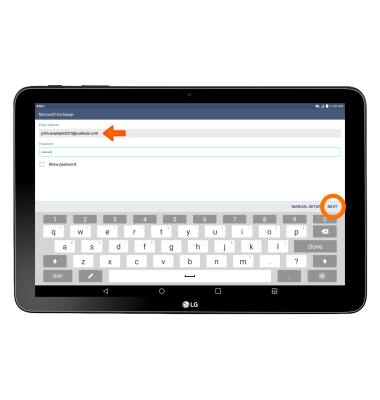
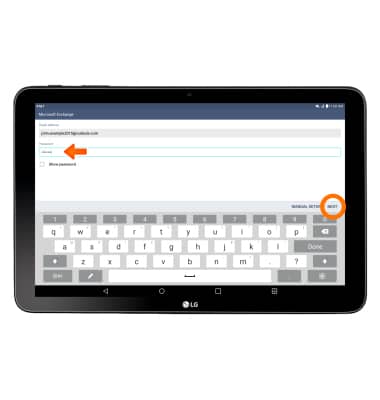
- Enter your Password, and then tap NEXT
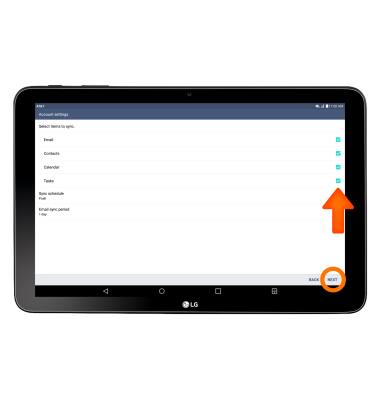
- To sync select items, tap the desired checkboxes, then tap NEXT.
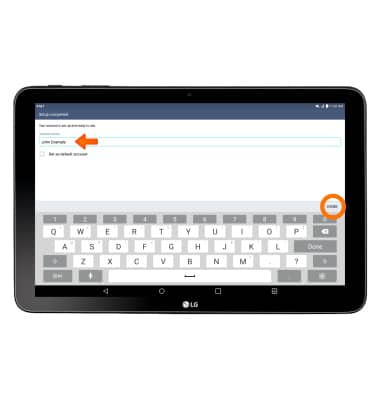
- Insert desired Account name, then tap DONE.