Accessibility
Accessibility
Accessibility features allow you to improve the usability of your device for users affected by impaired vision or hearing, cognitive difficulty, or reduced dexterity.
INSTRUCTIONS & INFO

For more information about accessibility features and TTY compatibility, see AT&T Accessibility.
Accessibility Features
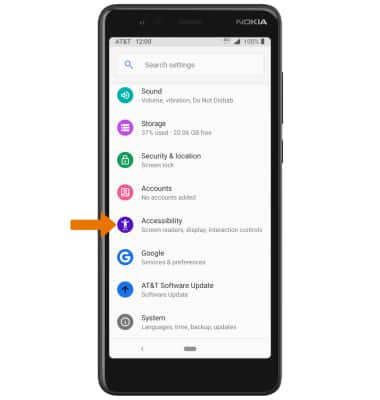
• Swipe down from the Notification bar with two fingers, then select the  Settings icon.
Settings icon.• Scroll to and select Accessibility.
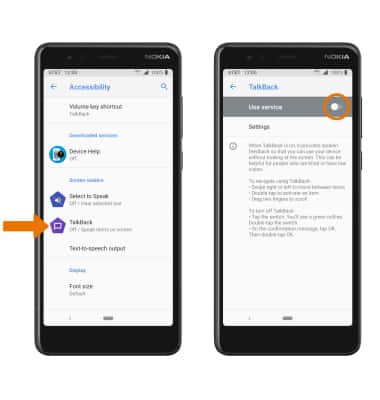
TURN ON TALKBACK: From the Accessibility screen, select TalkBack then select the Use service switch to turn on.
Note: Review the TalkBack prompt, then select OK. To disable, double-tap the TalkBack switch.
Note: Review the TalkBack prompt, then select OK. To disable, double-tap the TalkBack switch.
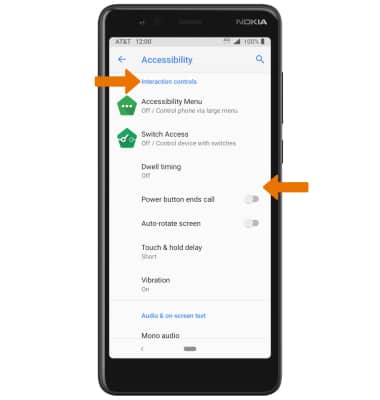
ACCESSIBILITY INTERACTION CONTROLS: From the Accessibility screen, scroll to Interaction controls then select the desired Interaction control switches.