
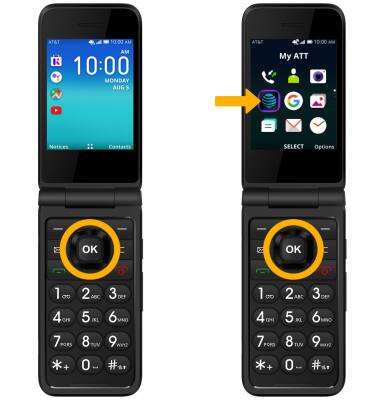
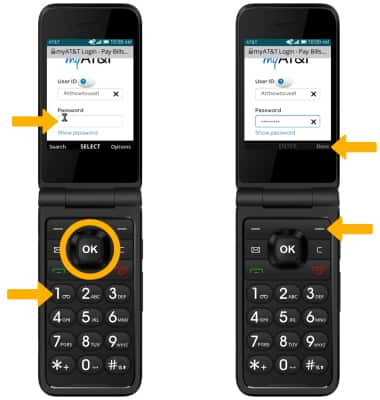
2. Press the down button to scroll to the User ID field, then press the OK button to select. Use the keypad to enter your User ID, then press the right menu button to select Done.
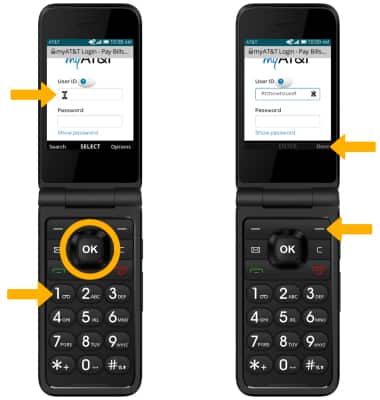
3. Press the down button to scroll to the Password field, then press the OK button to select. Use the keypad to enter your password. ress the right menu button to select Done.
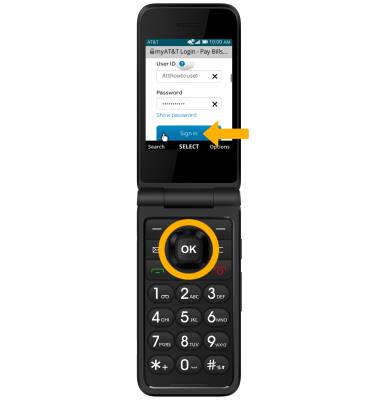
4. Press the down button to scroll to Sign in. Press the OK button to select.
Note: If you have forgotten your AT&T user ID or password, press the down button to scroll to Forgot User ID or password then press the OK button to select. If you do not have an AT&T user ID, press the down button to scroll to Create one now then press the OK button to select and follow the on-screen prompts.
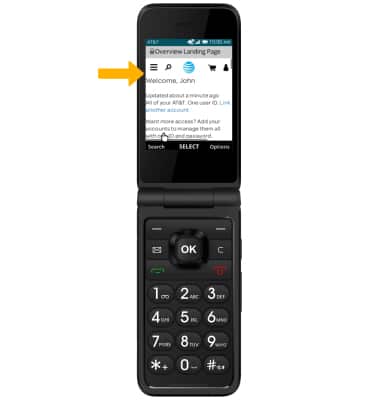
5. View and manage your myAT&T account as desired.