Modem status lights - Speedstream 5100 and 4100
Learn what your modem status lights mean and how to use them to troubleshoot problems with your modem or gateway.
You’re viewing instructions for
Internet equipment
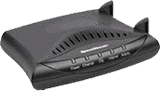
Speedstream
5100^4100
KM1050473-slctrgrp_speed5100
Learn about your modem status lights
The following chart explains each status light and what it means.
| Status Light | State | Description |
| Power | Off | Power is off or modem is not getting power. |
| Solid Green | Power is on. | |
| Flashing Green | Check modem set up. | |
| Ethernet | Off | No Ethernet connectivity or modem is off. |
| Solid Green | A device is connected by Ethernet to the modem. | |
| Flashing Green | Problem with network card or cable. | |
| DSL | Off | DSL signal not detected or modem is off. |
| Solid Green | Modem is connected to DSL. | |
| Flashing Green | Check modem setup (make sure your DSL line filters are properly set up). | |
| Activity | Off | No network activity (this is OK). |
| Solid Green | Normal DSL traffic flow. | |
| Flashing Green | Normal DSL traffic flow. |
Last updated: January 21, 2025