Connect PC or Mac to Wi-Fi
Connect PC or Mac to Wi-Fi

In this tutorial, you will learn how to:
• Connect a Mac to Wi-Fi
• Connect a PC to Wi-Fi
Connect a Mac to Wi-Fi
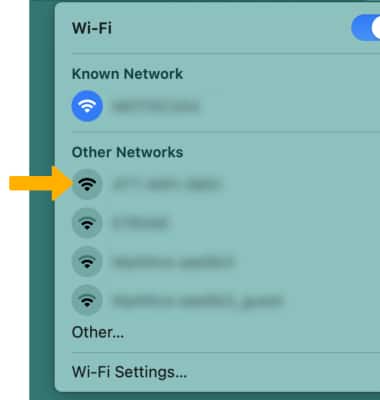
1. From your Mac, click the  Wi-Fi icon in the top right corner of the screen. 2. Click the 5G Gateway's Wi-Fi network.
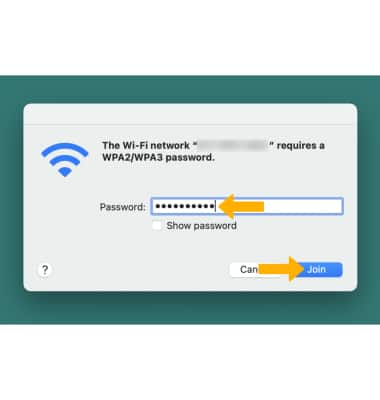
3. Enter the Password, then click Join. Your Mac is now connected to the Wi-Fi network. Note: The Wi-Fi network's name and password are displayed on the label on the bottom of the 5G Gateway.
Connect a PC to Wi-Fi
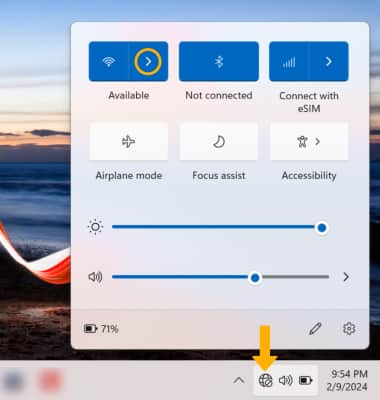
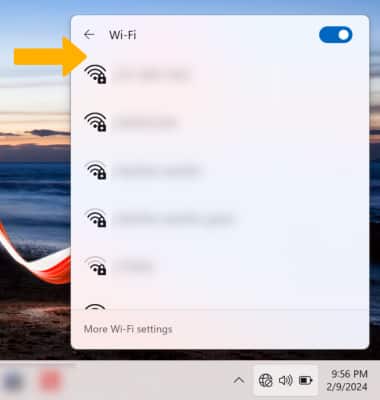
1. From your PC, click the Connectivity icon on bottom right of the screen. Ensure Wi-Fi is enabled, then click the right arrow icon next to the Wi-Fi icon.
2. Click the 5G Gateway's Wi-Fi network.
3. Click Connect.
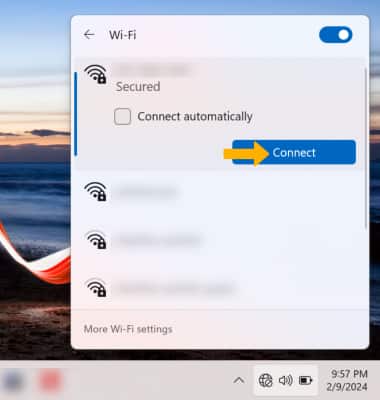
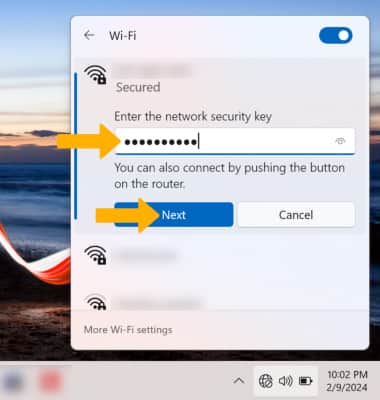
4. Enter the Password, then click Next. Your PC is now connected to the Wi-Fi network. Note: The Wi-Fi network's name and password are displayed on the label on the bottom of the 5G Gateway.