Contacts
Contacts

-
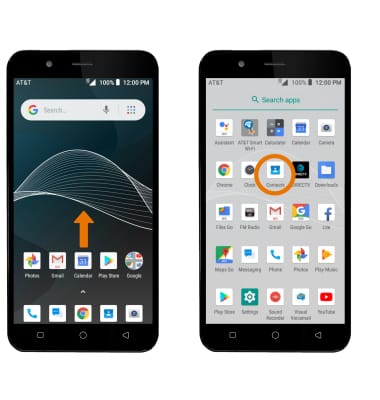
ACCESS CONTACTS: From the home screen, swipe up to access the Apps tray then select the Contacts app.
-
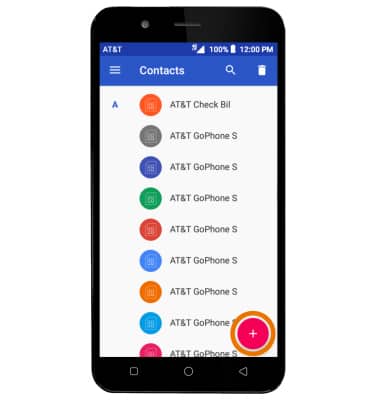
CREATE A CONTACT: Select the Add icon.
-
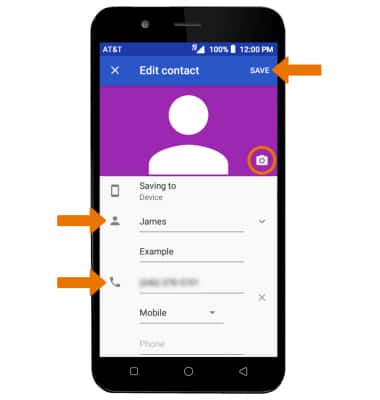
Enter the desired contact information in the corresponding fields. To add a picture, select the Picture icon and navigate to the desired image. Select SAVE when finished.
-
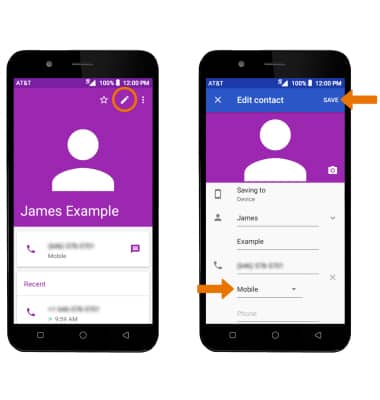
EDIT A CONTACT: From the desired contact, select the Edit icon. Edit the contact as desired, then select SAVE when finished.
-
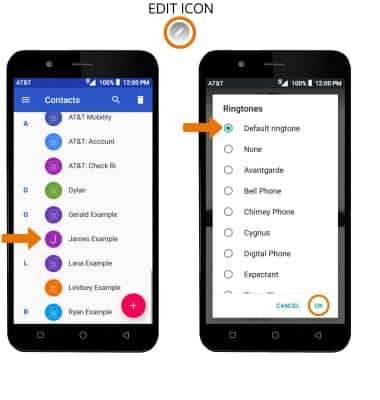
ADD A RINGTONE: From the Contacts screen, select the desired contact > Menu icon > Set ringtone > desired ringtone > OK.
-
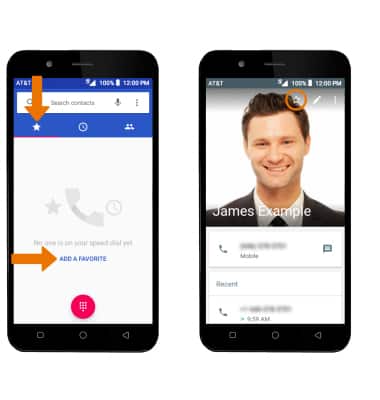
ADD CONTACTS TO SPEED DIAL: From the Phone app, select the Favorites tab > ADD A FAVORITE > desired contact > Favorites icon.
-
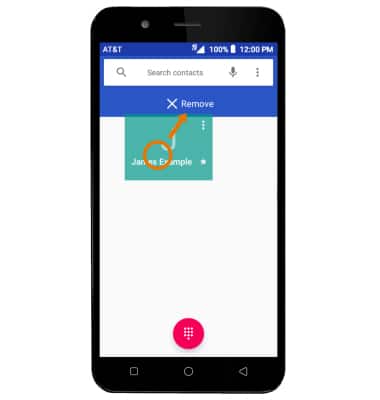
REMOVE CONTACTS FROM SPEED DIAL: Select and hold the desired contact, then drag it to Remove at the top of the screen.
-
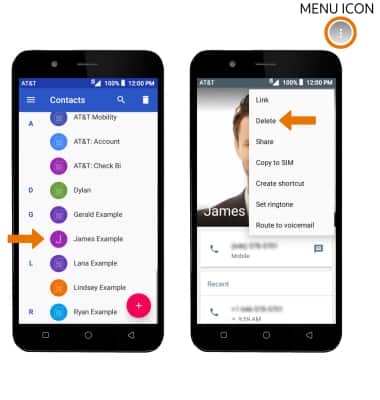
DELETE A CONTACT: From the Contacts list, select the desired contact. Select the Menu icon, then select Delete.
-
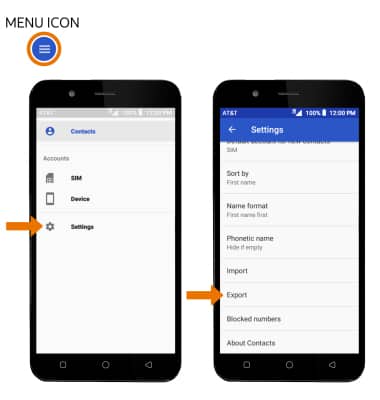
BACKUP CONTACTS: From the Contacts list, select the Menu icon > Settings > Export > follow the prompts.