Device Setup
Device Setup

After setting up your device, make sure you complete the online activation process. Please see Activate & Register for more information.
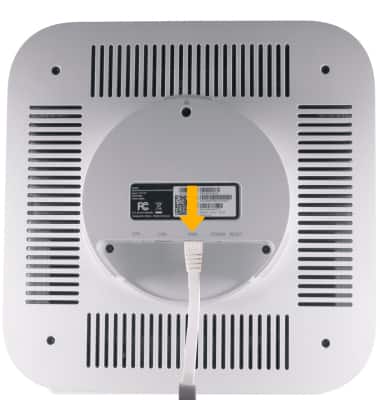
1. To set up the device, insert the ethernet cord into the yellow WAN port.
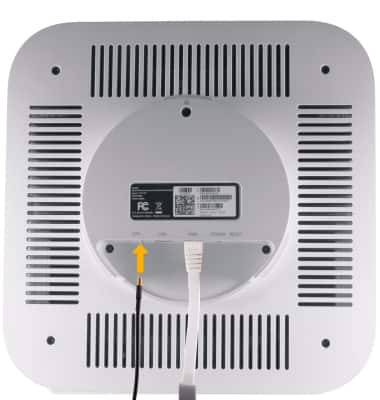
2. Install the GPS antenna by inserting the gold-side of the GPS cable into the GPS port until it clicks into place
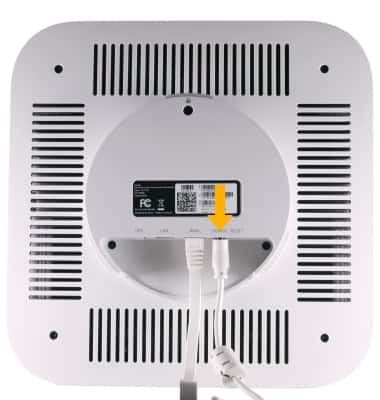
3. Insert the Power cord into the Power cord port.
What's in the box?
• Ethernet cable
• GPS antenna
• Power cable
• Wall-mounting plate and screws