Google Lens
Google Lens

Learn how to do Google Searches by simply pointing your camera at things.
In this tutorial, you'll learn how to:
• Access Google Lens
• Use Google Lens
Access Google Lens
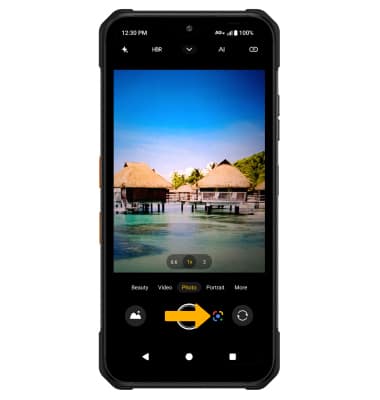
- From the home screen, select the
 Camera app.
 - Select the Google Lens icon.
Note: Review the Google Lens prompt, then select Open camera to continue. Review the allowances then select the desired option.
Use Google Lens
1. Point the device's camera at an object or location, then select the desired option.
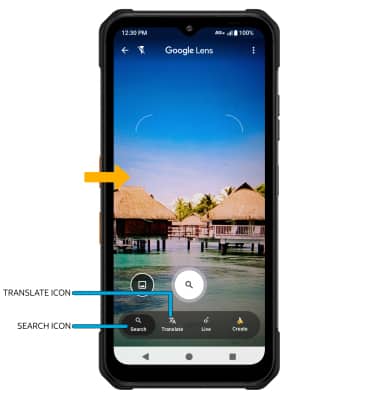
• SEARCH: Select the Search icon and follow the prompts to search for similar objects or locations.
• TRANSLATE: Select the Translate icon and follow the prompts to translate text in the desired image.
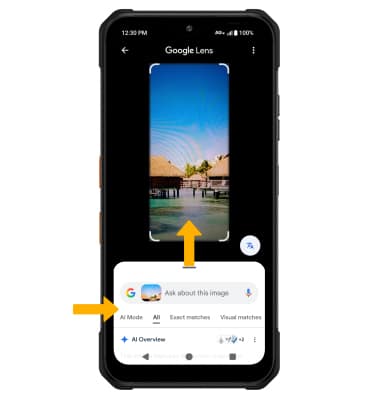
2. Swipe up to view the Google Lens results.
Note: For more information, visit Google's site.