Accessibility
Accessibility

Accessibility features allow you to improve the usability of your device for users affected by impaired vision or hearing.
For more information about accessibility features and TTY compatibility, visit AT&T Accessibility.
In this tutorial, you will learn how to:
• Access accessibility features
• Edit accessibility settings
• Access Real-Time Text (RTT) settings
Access accessibility features
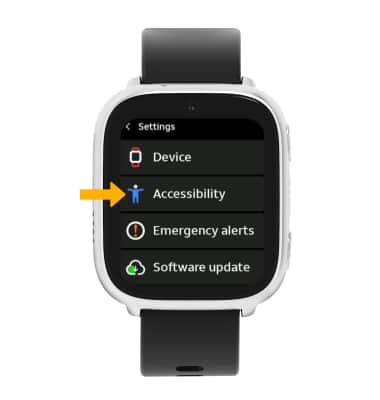
- From the Clock screen, swipe left four times then select the
 Settings app.
 - Scroll to and select Accessibility.
Edit accessibility settings
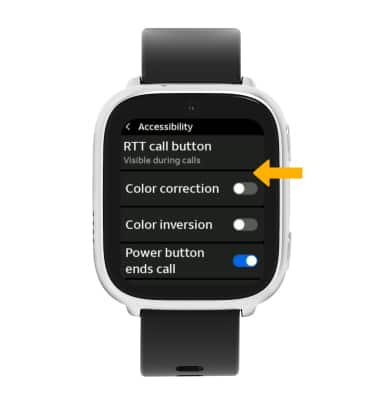
From the Accessibility screen, select the switch next to the desired accessibility feature to enable or disable.
Access Real-Time Text (RTT) settings
Real-Time Text (RTT) communication is a conversation of text and voice to make calls. As a sender types a message on their device, text displays on the receiving device.
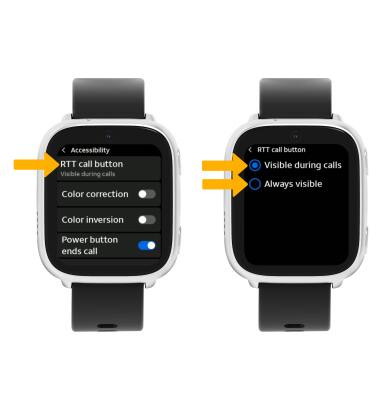
To access RTT settings, from the Accessibility screen, select RTT call button then select the desired option.