1. Swipe down from the Notification bar with two fingers, then select the  Settings icon.
2. Scroll to and select Google.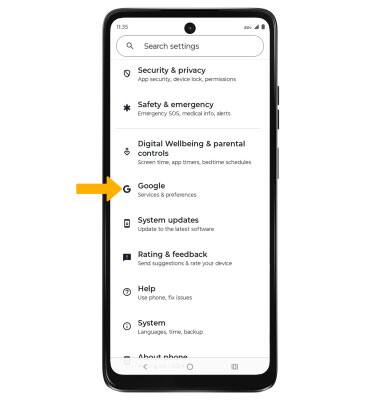
3. Select the All services tab, then scroll to and select Backup. 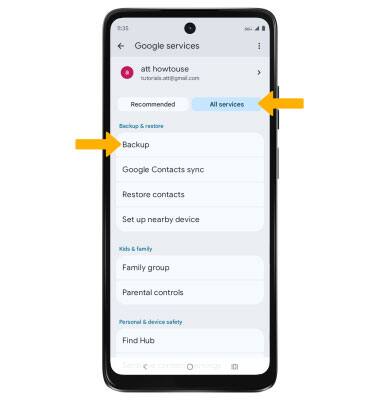
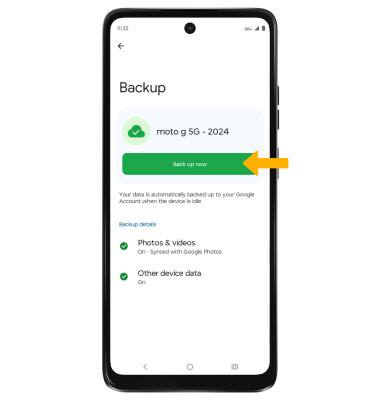
4. Your data will be automatically backed up to your Google Account when the device is idle. To manually back up your data, select Back up now.
Note: To disable automatic backups, select the desired backup category, then select the Backup switch to disable.